
Why prebuilt rigs matter for gamers
Prebuilt gaming PCs offer immediate usability and a single point of contact for support, making them ideal for players who prioritize gaming over assembly. While DIY builds provide greater customization and often lower component costs, prebuilts from brands like Cyberpower, Skytech, and Lyte simplify troubleshooting with unified warranties. However, this convenience often comes with trade-offs, such as proprietary motherboards or power supplies that can limit future upgrades.
| Feature | Prebuilt PC | DIY Build |
|---|---|---|
| Assembly | Plug and play | Requires technical skill |
| Warranty | Single point of contact | Multiple manufacturers |
| Upgradability | Often limited by proprietary parts | Fully customizable |
| Initial Cost | May include assembly premium | Lower component costs |
Cyberpower PC build quality and value
Cyberpower targets budget-conscious gamers seeking raw performance per dollar. Their systems typically pair mainstream processors like AMD Ryzen 5 or Intel Core i5 with entry-level NVIDIA GeForce RTX graphics cards, optimized for 1080p and 1440p gaming. To maintain aggressive pricing, Cyberpower often uses budget-oriented motherboards, generic power supplies, and basic air cooling. While functional, these components may lack the thermal headroom for heavy overclocking or extensive future upgrades.
Build quality reflects this cost-first approach. Cable management is often functional rather than tidy, and chassis interiors may prioritize utility over airflow optimization. Cases are usually standard towers with minimal RGB lighting. For users on a strict budget, this trade-off keeps costs low, but those planning long-term upgrades should consider potential future replacements for the power supply or cooling solutions.
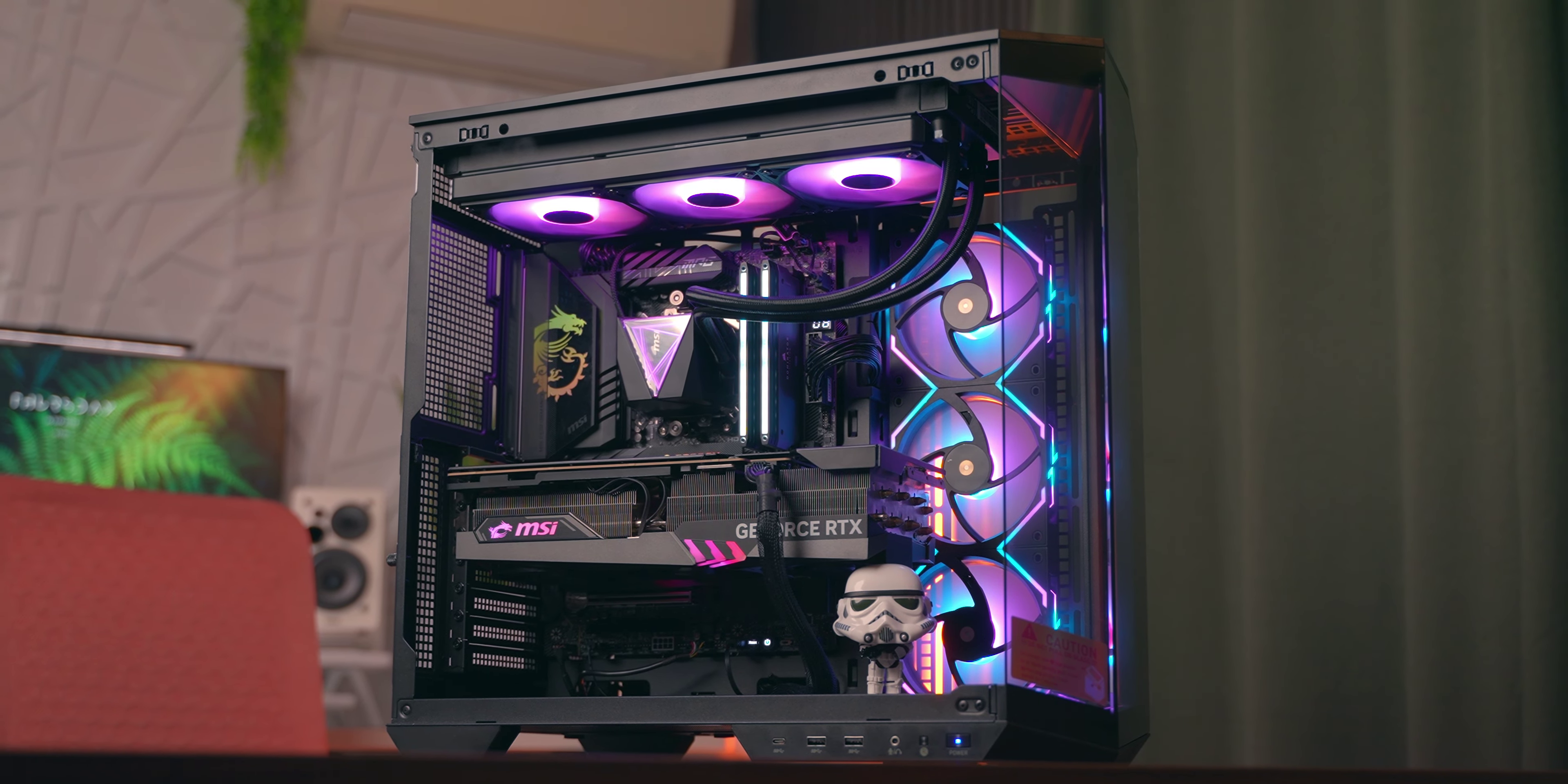
When evaluating value, compare the total package cost against DIY builds, factoring in Windows licensing and assembly time. Cyberpower is a strong option for students or first-time buyers, especially if opting for their higher-end budget models which mitigate some quality concerns.
Skytech Aesthetics and Performance
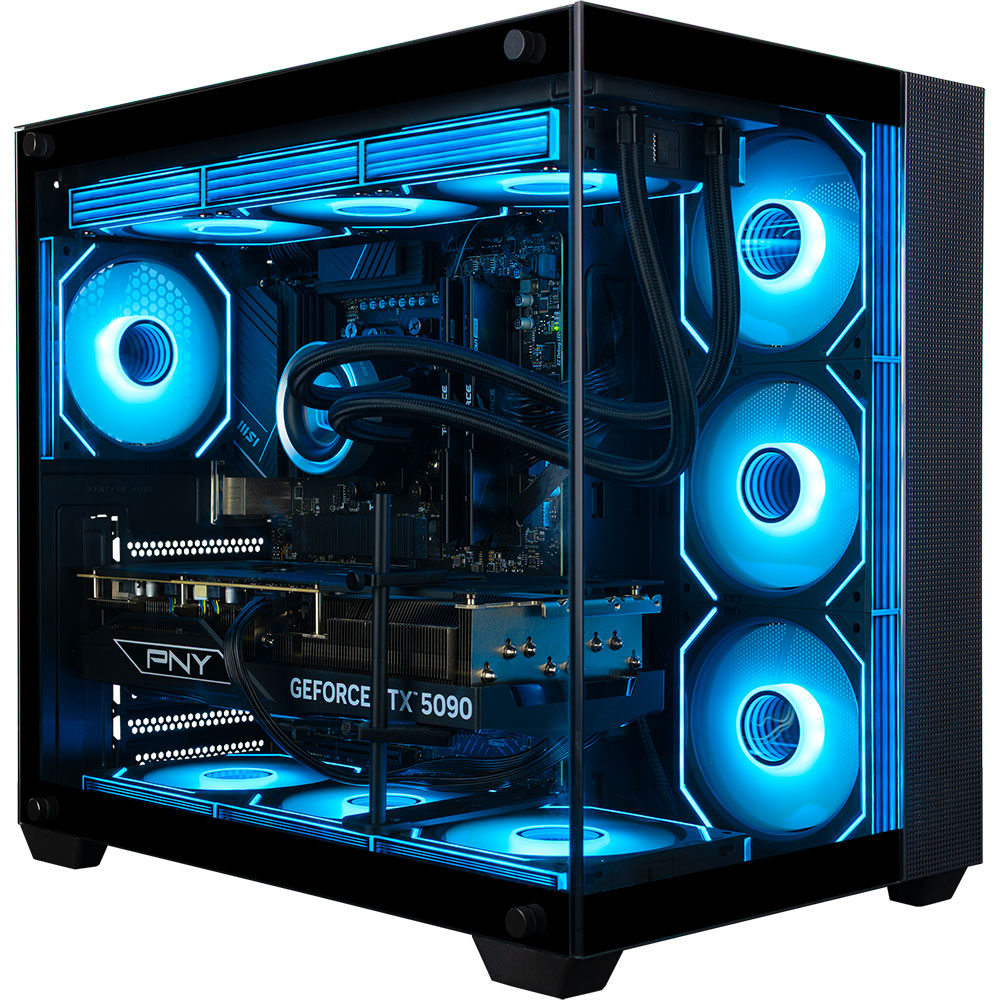
Skytech Gaming differentiates itself through visual impact, offering aggressive case designs, extensive RGB lighting, and pre-installed aftermarket cooling like AIO liquid coolers. These builds appeal to users who want a desktop that serves as a centerpiece, often featuring tempered glass panels and synchronized lighting effects.
The Visual Premium
Skytech’s aesthetic upgrades include tempered glass on multiple sides, custom cable management, and high-visibility components like neon-lit RAM. This polished, retail-ready appearance justifies a 15-20% price premium for buyers who value style over raw performance-per-dollar.
Performance Reality Check
Internally, Skytech pairs competent mid-to-high-end components, such as RTX 40-series GPUs and Intel Core i5/i7 processors, with their flashy exteriors. However, the focus on aesthetics can sometimes lead to thermal compromises. While most builds handle modern titles well at 1080p and 1440p, they may not offer the same efficiency or overclocking headroom as a similarly priced custom build optimized for airflow.
Is It Worth the Cost?
Skytech is a strong contender if you value a plug-and-play experience with a striking visual result. However, if you prioritize raw performance or have the time to build your own system, you might achieve better internal specs for the same budget in a more functional, less flashy case.
| Feature | Skytech Gaming | CyberPowerPC | Lyte Gaming |
|---|---|---|---|
| Aesthetic Focus | High (RGB, Glass, Custom Cooling) | Medium (Standard RGB) | High (Clean, Minimalist RGB) |
| Build Quality | Good (Pre-assembled, Cable Managed) | Average (Functional, Basic) | Good (Clean, Organized) |
| Thermal Management | Mixed (Can run warm) | Average | Good (Optimized Airflow) |
| Price Premium | 15-20% above DIY | 5-10% above DIY | 10-15% above DIY |
Lyte Gaming PC engineering and upgrades
Lyte PC distinguishes itself through a focus on build quality, clean cable management, and optimized airflow. Unlike competitors that prioritize raw specs at the lowest price, Lyte emphasizes long-term usability and ease of maintenance.
Build quality and airflow
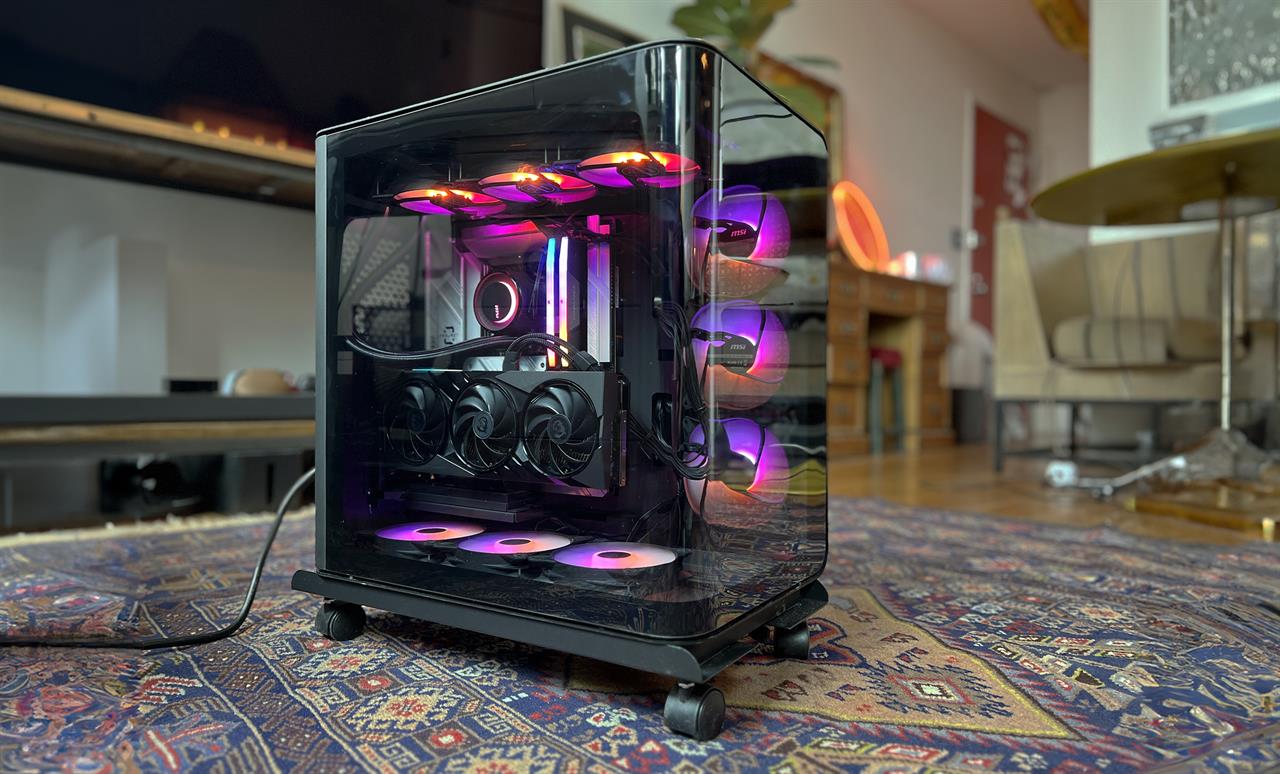
Lyte’s internal layout prioritizes air circulation, with cables routed and tied down to minimize obstruction. This allows cool air to flow directly over critical components like the GPU and CPU, a significant improvement over many pre-builts where loose cables trap heat. A cleaner interior also simplifies routine maintenance, such as dust removal or inspection of connections.
Ease of upgrades
Upgradability is a key selling point. Lyte chassis designs offer ample space for larger graphics cards and additional storage. Access panels are straightforward to remove, and component placement follows standard conventions, making it simple to swap out parts as technology advances. This forward-thinking design helps extend the system’s lifespan.
Comparison of build features
The table below highlights how Lyte’s engineering approach compares to its main competitors.
| Brand | Cable Management | Airflow Design | Ease of Upgrade |
|---|---|---|---|
| Lyte PC | Tied and routed | Optimized for flow | High |
| Cyberpower | Basic | Standard | Moderate |
| Skytech | Basic | Standard | Moderate |
Head-to-Head Comparison
Choosing between Cyberpower, Skytech, and Lyte depends on balancing raw performance against build consistency and support. The table below breaks down typical configurations for their mid-to-high-end gaming rigs.
| Brand | Price Range | GPU Tier | Warranty | Build Quality | Pros / Cons |
|---|---|---|---|---|---|
| CyberpowerPC | $800 - $1,500 | Budget to Mid | 1 Year Parts/Labor | Basic airflow, mixed cable management | Pros: Lowest price. Cons: Generic parts, limited support. |
| Skytech Gaming | $900 - $1,600 | Mid to High | 1 Year Parts/Labor | Aggressive aesthetics, standard airflow | Pros: RGB-heavy designs. Cons: Proprietary cases, noisy fans. |
| Lyte Gaming | $1,000 - $1,800 | Mid to High | 1 Year Parts/Labor + Lifetime Support | Clean cable management, optimized airflow | Pros: Better support, cleaner builds. Cons: Slightly higher markup. |
CyberpowerPC is the entry point for budget-conscious buyers, offering the most silicon for the dollar but with internal organization as an afterthought. Skytech leans heavily into visual flair, which can sometimes compromise airflow efficiency. Lyte Gaming positions itself as the premium option, justifying its higher price with cleaner cable management, better component selection, and stronger customer support. For users planning to keep their rig for five years or more, Lyte’s build quality often pays off in longevity.
Which brand fits your gaming style
Choosing between these brands depends on whether you prioritize raw performance per dollar, aesthetic customization, or long-term reliability.
CyberpowerPC is the go-to for budget-conscious gamers seeking maximum specs for their money. While it offers aggressive pricing and a wide range of configurations, it often trades off cable management and component branding. If your priority is high frame rates for the lowest price and you don’t mind potential future tweaks, Cyberpower is a solid choice.
Skytech Gaming balances performance and aesthetics, known for clean builds, consistent cable management, and a variety of case options with tempered glass and RGB lighting. They often use higher-quality motherboards and power supplies than Cyberpower, making their systems more stable and easier to upgrade. Skytech is ideal for players who want a PC that looks good out of the box and performs reliably.
Lyte Gaming targets enthusiasts who prioritize build quality, customer service, and future-proofing. They use premium components, such as higher-tier motherboards and better cooling solutions, with meticulously organized builds and a reputation for responsive support. If you are willing to pay a premium for a PC that feels like a custom build and will last longer, Lyte is the superior option.
To help you decide, consider these final checks before purchasing:
-
Verify warranty terms and support reputation
-
Check component brands (RAM, SSD, PSU) for quality
-
Confirm upgrade paths (case size, power supply wattage)
If you are on a tight budget, CyberpowerPC offers the best value. If you want a balanced mix of looks and performance, choose Skytech. If you prioritize build quality and long-term reliability, Lyte Gaming is worth the extra cost.
Top picks for every budget
Cyberpower, Skytech, and Lyte Gaming offer distinct value propositions depending on your financial ceiling. We selected specific models that balance performance, build quality, and price for three common spending tiers.
Best Budget Entry: CyberPowerPC Gamer Supreme
For under $1,000, CyberPowerPC consistently delivers the highest component-to-dollar ratio. Their entry-level builds typically feature Ryzen 5 or Core i3 processors paired with entry-level NVIDIA GPUs. While the chassis plastic may feel less premium, the internal cooling is sufficient for 1080p gaming at medium-to-high settings. This is the ideal starting point for players who want to jump into gaming without overspending on aesthetics.
Best Mid-Range Value: Skytech Shadow
Skytech’s mid-range offerings, such as the Shadow or Chronos lines, strike a balance between performance and style. These builds often utilize Ryzen 5 or Core i5 CPUs with RTX 3060 or 4060-class graphics cards. Skytech differentiates itself with cleaner aesthetic choices, including tempered glass panels and coordinated RGB lighting, without the markup of high-end boutique builders. It is a solid choice for players targeting 1440p gaming who want a system that looks as good as it performs.
Best High-End Build: Lyte Gaming X
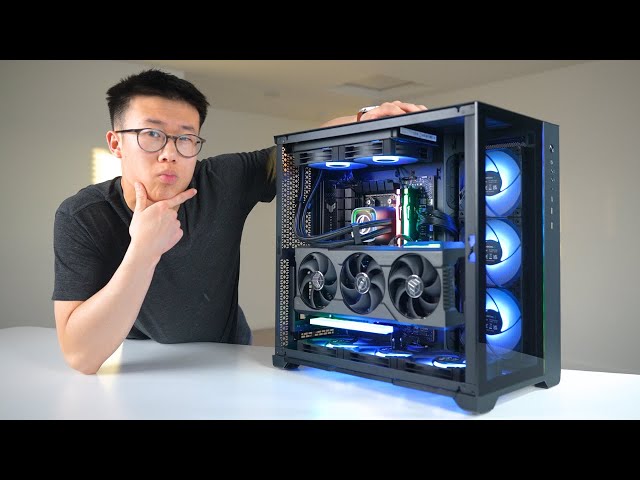
Lyte Gaming focuses on the upper tier of the pre-built market, offering configurations that rival custom builds in quality. Their high-end models often feature Ryzen 7 or Core i7 processors paired with RTX 4070 Ti or 4080 GPUs. The build quality is noticeably superior, with better airflow design and more robust power supply units. This is the recommendation for enthusiasts who demand high frame rates at 1440p or 4K and want a system that will remain relevant for several years.


As an Amazon Associate, we may earn from qualifying purchases.
Common questions about prebuilt PCs
Prebuilt gaming rigs from brands like Cyberpower, Skytech, and Lyte Gaming offer a balance of convenience and performance, but they come with specific trade-offs compared to custom builds. Understanding these differences helps you decide if a prebuilt fits your needs.
Are prebuilt PCs easy to upgrade?
Most prebuilt cases are designed for basic upgrades, such as adding RAM or swapping a graphics card. However, proprietary motherboards or limited power supply wattages can restrict future expansions. Cyberpower and Skytech generally use standard ATX cases, making component swaps easier, while Lyte Gaming’s aesthetic focus sometimes requires more careful planning for airflow and space.
How do warranties compare across brands?
Warranty terms vary significantly. Cyberpower typically offers a one-year limited warranty on parts and labor. Skytech often includes a lifetime technical support service, which can be valuable for troubleshooting. Lyte Gaming provides standard limited warranties but is known for responsive customer service. Always check the specific terms for your model, as some high-end configurations may have different coverage periods.
Do prebuilt PCs perform as well as custom builds?
Performance is generally comparable if you compare identical components. Prebuilt PCs undergo stress testing before shipping, which can ensure stability out of the box. However, custom builds allow you to choose higher-quality cooling and power supplies, which can lead to better long-term reliability and quieter operation. For most gamers, the performance difference is negligible, making the prebuilt’s convenience a strong advantage.
No comments yet. Be the first to share your thoughts!