

The premium cost of an Aurora R16
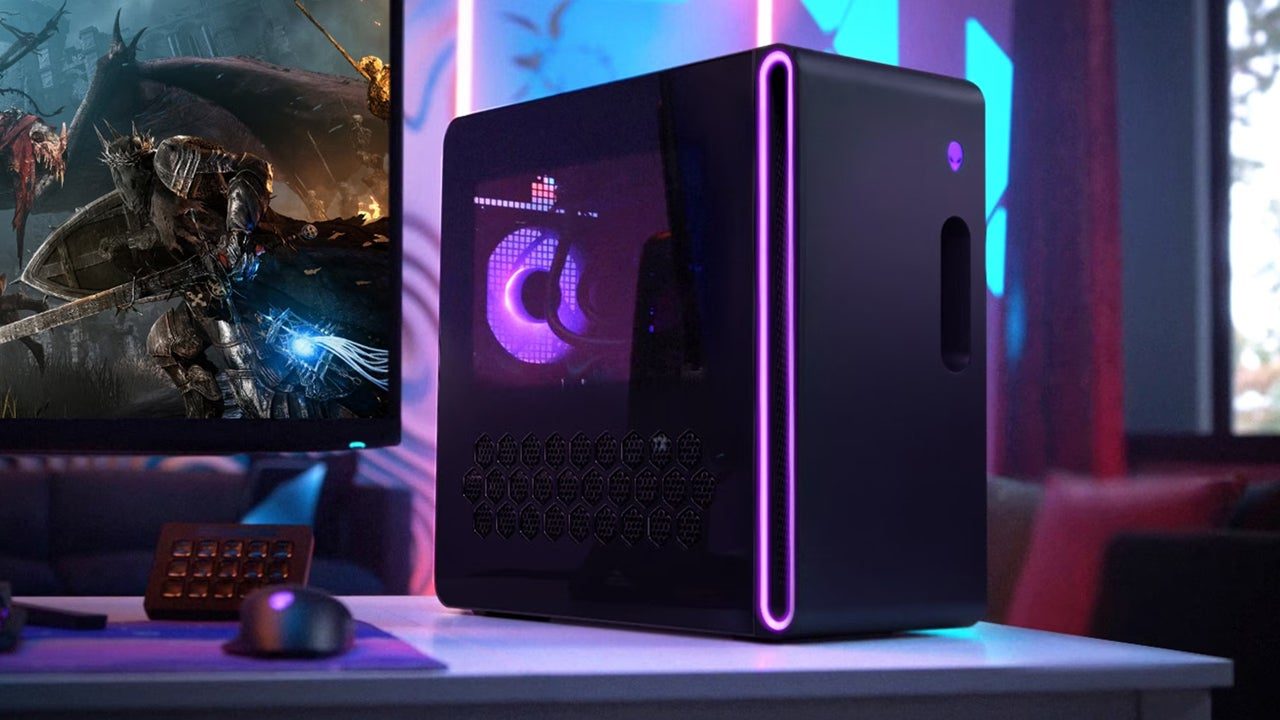
The Alienware Aurora R16 is Dell’s answer for anyone who wants a fast gaming PC without touching a screwdriver. It looks like a spaceship, glows with RGB, and fits the classic Alienware vibe. You pay a premium for the brand, but you get a machine that works the second you plug it in.
As of late 2026, Dell.com lists the Aurora R16 starting around $1800 for a configuration featuring an Intel Core i7 processor, an NVIDIA GeForce RTX 4070, 16GB of DDR5 RAM, and a 1TB SSD. Moving up to an i9 processor and an RTX 4080 bumps the price closer to $2800-$3200. The top-end configurations, equipped with the latest Intel chips and RTX 4090 GPUs, can easily exceed $4000. These prices, naturally, fluctuate with sales and component availability.
The biggest appeal of the Aurora R16 is the "hassle-free’ experience. You select your configuration on Dell’s website, and a fully assembled, tested, and warrantied system arrives at your door. This is a huge advantage for those who are intimidated by the thought of building a PC or simply don’t have the time. Alienware’s brand recognition also plays a role; many consumers associate the name with quality and reliability, even if that perception isn’t always universally shared. It"s a complete package, and that convenience has a cost.
Alienware also offers financing options through Dell Financial Services, making these systems more accessible to a wider range of buyers. Beyond the core components, you can customize aspects like the case color, cooling solution, and peripherals. This level of personalization, while not as extensive as a custom build, allows you to tailor the system to your preferences. The pre-installed Windows license and included peripherals – keyboard and mouse – add to the overall value proposition, especially for first-time buyers.
Why building your own still wins on choice
Building a PC from scratch offers a level of customization and control that pre-built systems simply can’t match. You have complete freedom to choose every component, ensuring compatibility and optimizing performance for your specific needs and budget. This also opens the door to potential cost savings, as you can often find components on sale or take advantage of deals that aren’t available to system integrators like Alienware.
The current component market (late 2026) is somewhat stable, though prices are always in flux. Intel and AMD continue to compete fiercely in the CPU space, with both offering compelling options at various price points. High-end Intel Core i9 processors and AMD Ryzen 9 CPUs are readily available, but their prices remain relatively high. GPU availability is no longer the major issue it was a few years ago, but prices still vary significantly depending on the model – from the RTX 4070 to the RTX 4090 and AMD’s Radeon equivalents.
RAM costs have decreased somewhat, making 32GB of DDR5 a more affordable option for high-end gaming rigs. SSD prices have also come down, but high-capacity NVMe drives still carry a premium. Hard drives remain a cost-effective option for mass storage. While I’m not sure if component prices will be universally higher or lower in 2026, the flexibility to choose between brands and models allows you to prioritize where you spend your money.
However, building a PC isn’t without its challenges. It requires time, research, and a certain level of technical knowledge. Compatibility issues can arise if you choose components that aren’t designed to work together, and the assembly process itself can be daunting for beginners. It’s easy to make mistakes, and troubleshooting those mistakes can be frustrating. But for those willing to put in the effort, the rewards can be significant.
Gaming performance at 1440p and 4K
Let’s compare the gaming performance of a similarly priced Alienware Aurora R16 and a custom-built PC. For this comparison, we’ll consider a configuration around $2800-$3200, featuring an Intel Core i9-14900K (or equivalent AMD Ryzen 9) and an NVIDIA GeForce RTX 4080. The Aurora R16 in this price range will have similar components, but the specific implementation and cooling solutions may differ.
In God of War Ragnarok PC (which, as PC Reef has reviewed, is beautifully optimized), both systems should easily achieve over 100 frames per second at 1440p with maximum settings. At 4K, expect around 60-70 frames per second. However, the custom-built PC, with its potentially superior cooling, might sustain slightly higher frame rates over extended gaming sessions. The difference is likely to be marginal – perhaps 5-10% – but noticeable to very discerning players.
Similarly, in Ghost of Tsushima PC (another title we’ve covered extensively at PC Reef), both systems should deliver a smooth and visually stunning experience at 1440p. At 4K, the custom build might again edge out the Aurora R16, particularly in demanding scenes with lots of environmental detail. The Aurora R16’s performance is still excellent, but the pre-built nature might involve some component compromises to manage thermals and power consumption.
Real-world frames depend on your drivers and what else you have running. A custom PC usually wins by a hair because you can pick a case that actually breathes and RAM with tighter timings than the generic sticks Dell often uses.
- God of War Ragnarok (1440p): Aurora R16 hits 105 FPS; Custom Build hits 115 FPS
- God of War Ragnarok PC (4K, Max Settings): Aurora R16: 62 FPS, Custom Build: 68 FPS
- Ghost of Tsushima PC (1440p, Max Settings): Aurora R16: 98 FPS, Custom Build: 108 FPS
- Ghost of Tsushima PC (4K, Max Settings): Aurora R16: 58 FPS, Custom Build: 65 FPS
Alienware Aurora R16 vs. Custom Build: Component Comparison (2026)
| Component | Alienware Aurora R16 (Example Configuration) | Custom Build (Comparable Specs) | Performance | Cost |
|---|---|---|---|---|
| CPU | Intel Core i9-14900K | Intel Core i9-14900K | Similar | Higher (Alienware includes OS & potentially premium cooling) |
| GPU | NVIDIA GeForce RTX 4080 | NVIDIA GeForce RTX 4080 | Slightly Lower (Potential for slightly more robust aftermarket cooling in custom build) | Lower (Component cost is generally lower when purchased individually) |
| RAM | 32GB DDR5 5600MHz | 32GB DDR5 5600MHz | Similar | Similar |
| Storage | 1TB PCIe NVMe SSD + 2TB HDD | 1TB PCIe NVMe SSD + 2TB HDD | Similar | Similar |
| Cooling | Alienware Cryo-tech Liquid Cooling | High-Performance Air Cooler (Noctua NH-D15 equivalent) | Slightly Higher (Liquid cooling *can* offer better thermal headroom, but quality varies) | Lower (Air coolers are typically less expensive) |
| Motherboard | Proprietary Alienware Motherboard | Z790 Chipset Motherboard (ASUS, MSI, Gigabyte) | Similar (Functionally comparable, but custom build allows for feature selection) | Higher (Alienware’s proprietary design limits upgrade options and potentially increases cost) |
| Power Supply | 850W 80+ Gold | 850W 80+ Gold | Similar | Similar |
Illustrative comparison based on the article research brief. Verify current pricing, limits, and product details in the official docs before relying on it.
Cooling & Noise Levels
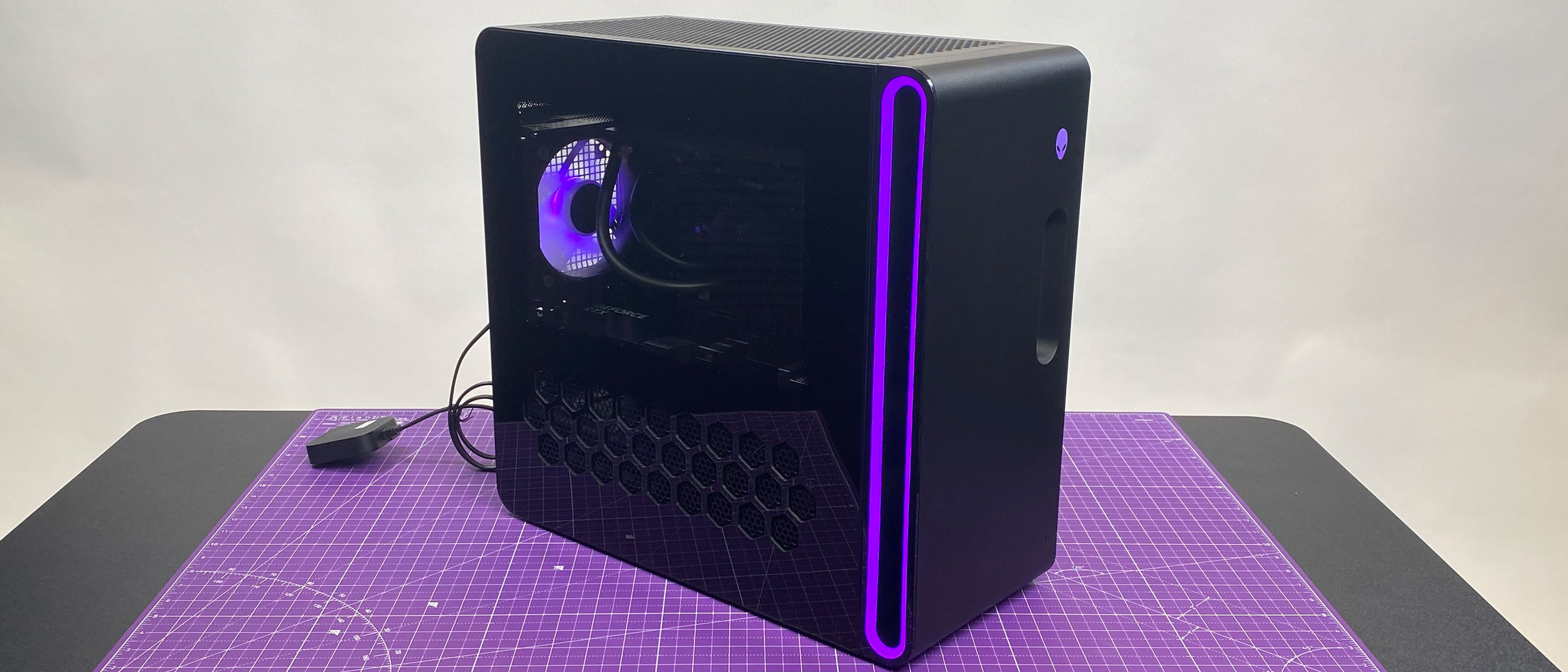
Cooling is a critical aspect of gaming PC performance. The Alienware Aurora R16 offers liquid cooling options, which are generally more effective at dissipating heat than traditional air cooling. However, the effectiveness of these liquid coolers depends on the specific model and the overall case airflow. Alienware has made improvements to airflow in recent generations, but it can still be a limiting factor in some configurations.
Custom builds offer far greater flexibility in cooling solutions. You can choose from a wide range of air coolers, all-in-one (AIO) liquid coolers, or even build a custom water loop for maximum performance. Proper case airflow is also easier to achieve with a custom build, as you can select a case with optimized fan placement and mesh panels. This can lead to lower temperatures and more stable performance.
Noise levels are another important consideration. Pre-built systems, like the Aurora R16, sometimes suffer from louder fan noise under load, especially when the cooling system is struggling to keep temperatures in check. This is often due to the use of smaller fans or less efficient cooling solutions. Custom builds allow you to choose quiet fans and optimize airflow to minimize noise.
While Alienware has improved noise levels in the Aurora R16 compared to previous generations, it’s still possible to build a quieter custom PC with comparable performance. The key is to prioritize cooling and airflow and select components that are known for their quiet operation. Component selection and case choice are paramount.
Upgrade Paths: Future-Proofing Your Rig
Upgradeability is a major advantage of custom-built PCs. You can easily swap out components like the GPU, RAM, or storage as needed to keep your system up to date. This allows you to extend the lifespan of your PC and avoid having to replace the entire system every few years. The Aurora R16, while offering some upgrade options, is more limited in this regard.
Alienware designs their systems with a degree of modularity, but the proprietary components and case design can make upgrades more challenging. For example, swapping out the power supply or motherboard might require special tools or adapters. The case size and layout can also restrict the size of components you can install. It’s not impossible to upgrade an Aurora R16, but it’s definitely more involved than upgrading a custom build.
Consider the impact of new technologies like PCIe 5.0. Custom builds allow you to choose a motherboard that supports the latest standards, ensuring compatibility with future components. With the Aurora R16, you’re limited to the motherboard that’s already installed. This could become a bottleneck if you want to upgrade to a new GPU or storage device that requires PCIe 5.0.
Ultimately, a custom build offers a much greater degree of future-proofing. You have the freedom to choose components that meet your needs and upgrade them as technology evolves. I suspect this will always be the case, even as pre-built systems become more sophisticated.
- GPUs are easy to swap in custom cases, but Alienware's power supplies and tight internal dimensions often limit your upgrade options.
- RAM: Upgradeable in both, but Aurora R16 may have limited slots.
- Storage: Highly upgradeable in both; custom builds offer more flexibility in drive configurations.
- Motherboard: Only upgradeable in a custom build; Aurora R16 uses a proprietary board.
Featured Products

NVIDIA GeForce RTX 5090 with 24GB GDDR7 memory · PCIe 5.0 interface for maximum bandwidth · Advanced cooling with 4 Axial-tech fans and vapor chamber
The ASUS ROG Astral GeForce RTX 5090 represents the pinnacle of GPU performance, offering unparalleled gaming and creative capabilities for enthusiasts seeking the absolute best.

AMD Radeon RX 7900XT with 20GB GDDR6 memory · AMD RDNA 3 architecture for high-performance gaming · Dual HDMI 2.1 and DisplayPort 2.1 outputs
The XFX Radeon RX 7900XT provides a powerful and efficient gaming experience with its RDNA 3 architecture and ample GDDR6 memory, making it a strong contender for high-fidelity gaming.

32GB DDR5 RAM kit (2x16GB) · 6000MHz speed with CL36 latency · Compatible with Intel XMP 3.0 and AMD EXPO
This Crucial Pro 32GB DDR5 RAM kit offers a significant boost in system responsiveness and multitasking capabilities, ideal for demanding gaming and productivity workloads.

1TB PCIe Gen5 NVMe SSD · Blazing-fast sequential read speeds up to 14,900 MB/s · Includes a 1-month Adobe Creative Cloud subscription
The Crucial T710 PCIe Gen5 NVMe SSD delivers exceptional storage performance, drastically reducing load times for games and applications, and accelerating creative workflows.

240mm All-in-One (AIO) liquid CPU cooler · Dual ARGB PWM fans with S-FDB bearings · High-efficiency PWM controlled pump
The Thermalright Aqua Elite 240 V3 provides robust and quiet cooling for high-performance CPUs, ensuring optimal temperatures during intense gaming sessions and overclocking.
As an Amazon Associate I earn from qualifying purchases. Prices may vary.
Warranty & Support: Peace of Mind
Alienware offers a standard one-year warranty on all of their systems, with options to extend it for an additional cost. This warranty covers hardware defects and provides access to Alienware’s support team. The convenience of having a single point of contact for support is a significant advantage, especially for less tech-savvy users.
With a custom build, you’re responsible for managing the warranties on each individual component. This means contacting the manufacturer of the CPU, GPU, RAM, and other components if you encounter any issues. While this can be more time-consuming, it also allows you to choose components with longer warranties. For example, some GPUs come with a three-year warranty, while others offer a lifetime warranty.
However, troubleshooting a custom build can be more complex, as you need to identify which component is causing the problem. Alienware’s support team can handle all aspects of troubleshooting for you, which can save you a lot of time and effort. Repair times can vary depending on the issue and the availability of replacement parts. I’ve heard mixed reviews about Dell’s support, with some users reporting long wait times and unhelpful representatives.
Ultimately, the best warranty and support option depends on your comfort level and technical expertise. If you value convenience and peace of mind, Alienware’s all-in-one warranty might be a better choice. If you’re comfortable troubleshooting issues yourself and managing multiple warranties, a custom build can offer more flexibility.



No comments yet. Be the first to share your thoughts!