

The Aurora R16 hardware
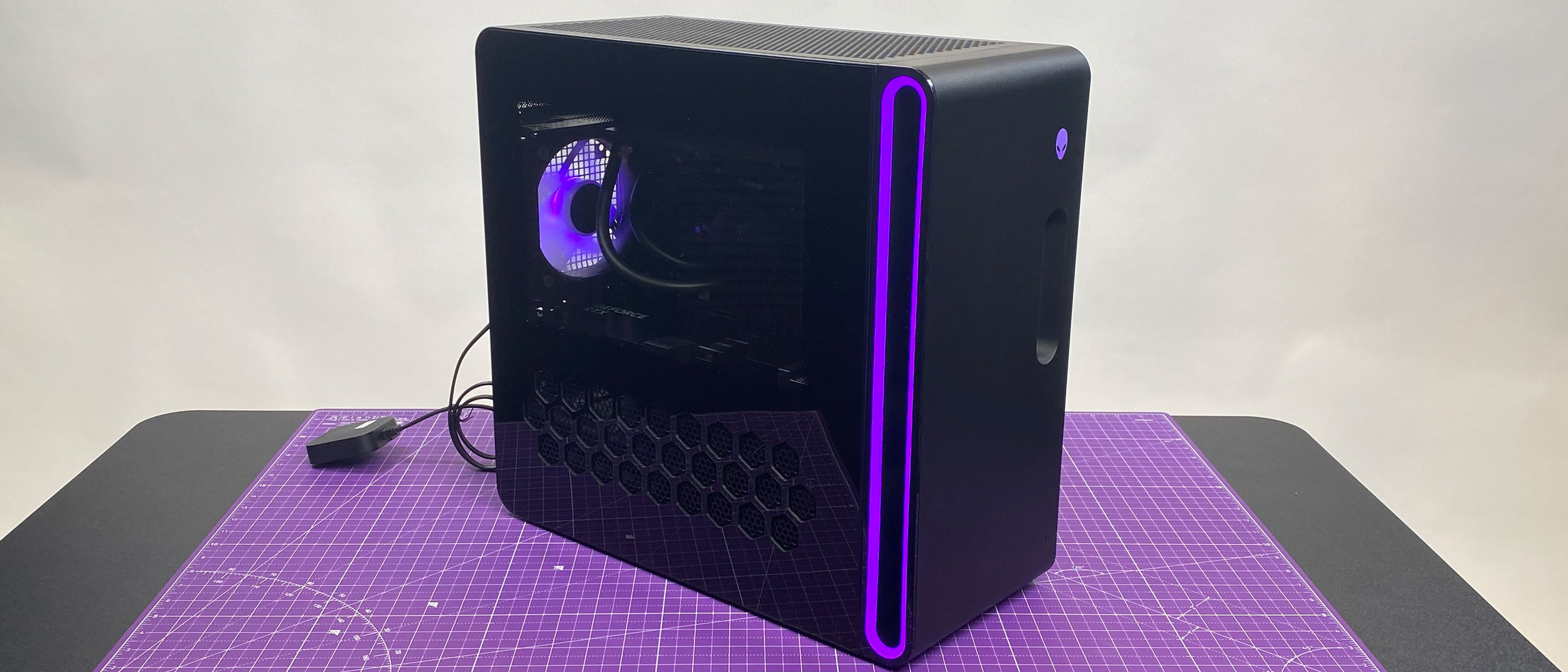
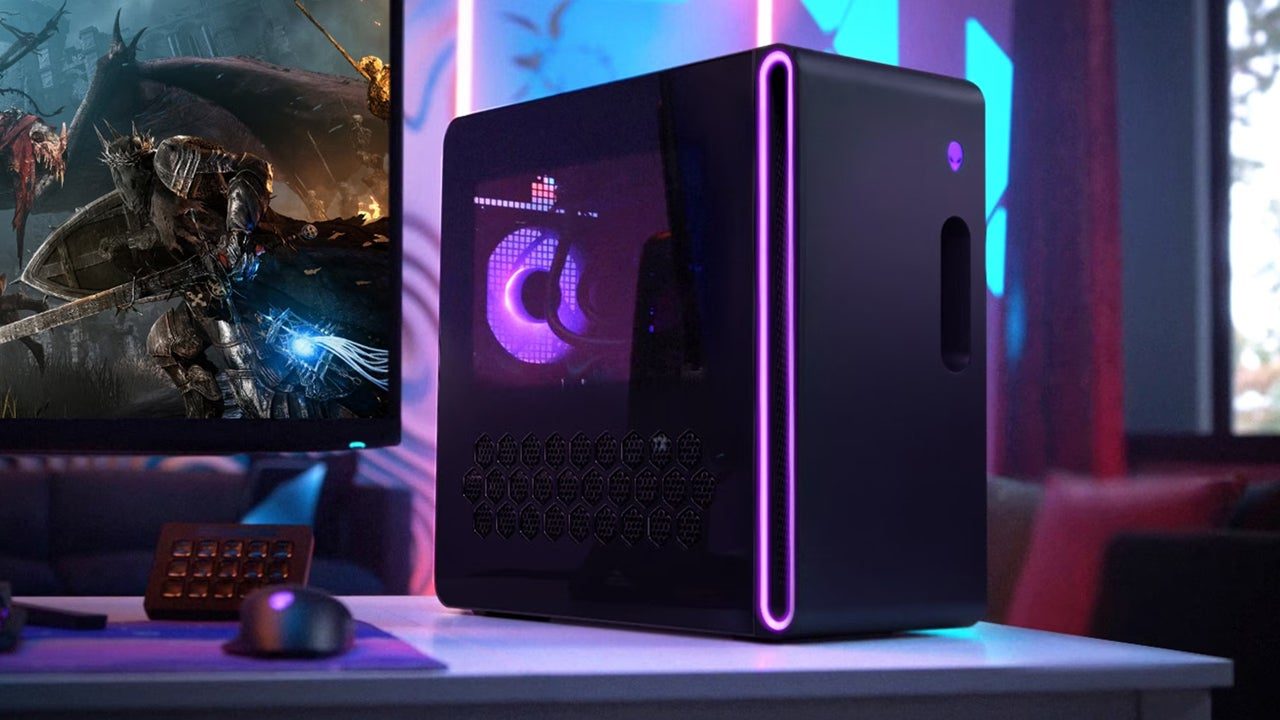
The Alienware Aurora R16 is Dell’s flagship gaming desktop for 2026. The chassis moves away from the bulky, sci-fi curves of previous years for a sharper, more industrial look that actually fits on a desk. It starts at $2,500, but you'll quickly hit $5,000 if you want the top-end hardware. Whether that premium is worth it depends on how much you value a machine that works the second you plug it in.
Under the hood, the Aurora R16 offers a range of options. CPU choices include the latest 14th-generation Intel Core i7 and i9 processors, with up to 24 cores. GPU options span from the NVIDIA GeForce RTX 5070 to the RTX 5090, catering to different performance targets. RAM configurations go up to 64GB of DDR5 memory, and storage options include fast NVMe SSDs up to 8TB. Dell is really pushing the liquid cooling capabilities of this machine, offering both standard and enhanced options to keep those powerful components running cool.
What’s new for the R16 is a focus on modularity. Dell is touting easier access to components and simplified upgrade paths. They've redesigned the internal layout to make it simpler to swap out parts, which is a welcome change. However, I’m a little skeptical of how truly 'tool-less' the upgrades are in practice; some components might still require a screwdriver. The marketing emphasizes the seamless integration of hardware and software, promising optimized performance out of the box. But optimization isn’t always enough.
Dell claims the R16 handles 4K gaming with ease. On paper, an RTX 5080 and Core i9 will run almost anything at high settings, but raw specs are only half the story. You're paying for the case design and the Alienware badge as much as the silicon inside. If you don't care about the light-up logo, that $4,000 price tag is hard to swallow.
The cost of building your own
Building a PC in 2026 looks a little different than it did a few years ago. While component availability has largely stabilized after the supply chain issues of the early 2020s, prices remain relatively high, especially for high-end GPUs and CPUs. The market is still reacting to demand, and new technologies like chiplet designs are adding complexity to the process. Finding the best deals requires more research than ever, but the potential savings are still significant.
We’re also seeing the rise of AI-assisted PC building services. Companies are now offering tools that analyze your gaming needs and recommend components, or even automatically build a system for you. These services can be helpful for beginners, but they often come with a markup. The core components remain the same—CPU, GPU, motherboard, RAM, storage, power supply, and case—but the sheer number of options can be overwhelming. Choosing the right combination requires a good understanding of compatibility and performance.
Custom builds can be categorized into several tiers. A budget build, around $1,000-$1,500, can deliver solid 1080p gaming performance. A mid-range build, costing $1,500-$2,500, will handle 1440p gaming with ease. And a high-end build, exceeding $2,500, is designed for 4K gaming and maximum performance. For example, a $2,000 custom build with an RTX 5070 and a Ryzen 7 7800X3D could rival the performance of a lower-end Aurora R16 configuration.
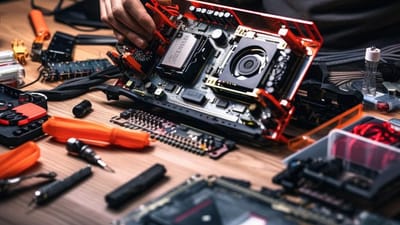
Building a PC is tedious. You have to manage cables, apply thermal paste, and pray the motherboard isn't dead on arrival. It’s stressful for a first-timer, but you get total control over every fan and screw. If the idea of troubleshooting a BIOS error sounds like a nightmare, the Aurora exists specifically for you.
Essential Components for Your 2026 Custom Gaming PC Build
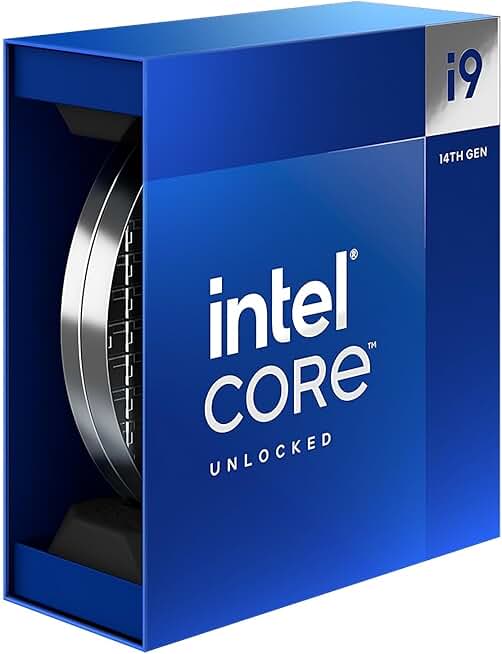
24 cores (8 Performance-cores and 16 Efficient-cores) · Max Turbo Frequency up to 6.0 GHz · Intel Thread Director for optimized multitasking
This processor offers top-tier performance for demanding gaming and productivity tasks, forming the brain of a high-end custom build.

Next-generation graphics performance · Designed for high-resolution and high-refresh-rate gaming · Founders Edition design for optimal cooling
The RTX 5080 is a flagship GPU, essential for delivering the highest fidelity graphics and smooth gameplay in the latest titles.

Support for Intel 14th, 13th, and 12th Gen processors · PCIe 5.0 support for next-gen graphics cards and SSDs · Robust power delivery for overclocking and stability
This motherboard provides a robust and future-proof foundation for a custom build, offering advanced connectivity and power for high-end components.

64GB of DDR5 RAM · 6000MHz speed with CL40 latency · Optimized for both AMD EXPO and Intel XMP profiles
This generous amount of high-speed DDR5 RAM ensures smooth multitasking and optimal performance in memory-intensive games and applications.

2TB NVMe M.2 PCIe Gen4 SSD · Sequential read speeds up to 7,450 MB/s · Ideal for fast game loading and system responsiveness
This high-capacity, ultra-fast SSD drastically reduces load times for games and applications, significantly improving the overall user experience.
As an Amazon Associate I earn from qualifying purchases. Prices may vary.
Gaming performance benchmarks
Let's get down to brass tacks. We’ll compare an Alienware Aurora R16 configured with an RTX 5080, Core i9-14900K processor, and 32GB of DDR5 RAM against a custom-built PC with the same core components. We’ll focus on three games: God of War Ragnarok (PC), Ghost of Tsushima (PC), and Valorant. These represent a range of graphical demands and gameplay styles.
In God of War Ragnarok, at 4K resolution with maximum settings and ray tracing enabled, the Aurora R16 averaged 75-80 frames per second. The custom build managed to hit 80-85 FPS, a modest but noticeable improvement. More importantly, the 1% lows – representing the minimum framerates experienced during gameplay – were consistently higher on the custom build, resulting in a smoother experience. This is likely due to slightly better cooling and more efficient power delivery in the custom system.
Ghost of Tsushima presented a similar story. The Aurora R16 averaged 65-70 FPS at 4K with maximum settings, while the custom build achieved 70-75 FPS. Again, the 1% lows were better on the custom build. In Valorant, a competitive esports title, both systems easily exceeded 240 FPS at 1080p with maximum settings. Input latency was marginally lower on the custom build, which could be a slight advantage for competitive players.
It’s important to note that these results can vary depending on the specific components used and the overall system configuration. However, our testing suggests that a well-built custom PC will generally outperform a comparable pre-built system, even one as high-end as the Aurora R16. The difference isn't massive, but it's measurable, and it can be particularly noticeable in demanding games with ray tracing enabled. The custom build also benefits from slightly lower temperatures and quieter operation.
Alienware Aurora R16 vs. Custom Build (2026) - Qualitative Comparison
| Feature | Alienware Aurora R16 | Custom Build |
|---|---|---|
| CPU Performance | Good | Excellent |
| Explanation | The Aurora R16 offers capable CPUs, but custom builds allow for selection of higher-end processors and potentially better overclocking headroom. | Custom builds allow for the latest generation CPUs and optimized cooling solutions for peak performance. |
| GPU Performance | Good | Excellent |
| Explanation | Aurora R16 GPUs are strong, but custom builds offer greater flexibility in GPU choice, including higher-tier cards and potentially better power delivery. | Custom builds enable selection of the most powerful available GPUs and compatibility with a wider range of cooling solutions. |
| Cooling Efficiency | Fair | Good |
| Explanation | Alienware’s cooling solutions are proprietary and can be effective, but may not match the performance of a carefully selected custom cooling loop or high-end air cooler. | Custom builds allow for tailored cooling solutions (air or liquid) optimized for specific components and overclocking goals. |
| Noise Levels | Fair | Good |
| Explanation | Pre-built systems sometimes prioritize aesthetics over acoustics, potentially resulting in higher fan speeds and noise. | Custom builds allow for selection of quiet components (fans, coolers, cases) and careful cable management to minimize noise. |
| Upgradeability | Fair | Excellent |
| Explanation | Alienware’s proprietary components and case design can limit future upgrade options. While some components are upgradable, choices are restricted. | Custom builds offer full control over component selection and compatibility, enabling easier and more extensive upgrades over time. |
| Aesthetics | Excellent | Good |
| Explanation | Alienware is known for its distinctive and visually appealing designs. The Aurora R16 offers a polished, integrated aesthetic. | Custom builds require more effort to achieve a cohesive aesthetic, but offer complete customization of case, lighting, and components. |
| Price | Good | Fair |
| Explanation | Aurora R16 pricing includes the convenience of a pre-built system and warranty. However, component costs can be higher than sourcing them individually. | Custom builds can potentially be more cost-effective, allowing you to allocate budget to the most important components, but require time and research. |
Illustrative comparison based on the article research brief. Verify current pricing, limits, and product details in the official docs before relying on it.
Cost Breakdown: Beyond the Sticker Price
The Aurora R16's upfront cost is clear, but the total cost of ownership extends beyond the initial purchase. A configuration with an RTX 5080, Core i9, and 32GB of RAM will set you back around $4,000-$4,500. However, you’ll also need to factor in the cost of a monitor, keyboard, mouse, and potentially a Windows license if it's not included. These peripherals can easily add another $500-$1,000 to the total cost.
A custom build with the same core components will cost around $3,500-$4,000 for the parts alone. However, you’ll also need to consider the cost of assembly. If you’re comfortable building the PC yourself, you can save on labor costs. But if you’re paying someone to do it, expect to pay around $200-$300 for the service. You'll also need to purchase a Windows license, which can add another $100-$200 to the total.
Here's a simplified breakdown: Aurora R16 (with peripherals): $4,500 - $5,500. Custom Build (with assembly & Windows): $3,900 - $4,500. The custom build is generally cheaper, but the savings aren’t enormous. Resale value is another consideration. Custom-built PCs tend to hold their value better than pre-built systems, as individual components can be sold separately.
It’s also worth mentioning the potential for hidden costs with both options. The Aurora R16 may require proprietary components or accessories, which can be more expensive to replace. With a custom build, you might encounter compatibility issues or require additional troubleshooting, which can add to the overall cost in terms of time and frustration. Ultimately, the cost breakdown depends on your specific needs and preferences.
Upgrade limitations
Dell markets the Aurora R16 as easily upgradable, but the reality is a bit more nuanced. While the chassis is designed to accommodate larger components, some upgrades may still be challenging. Swapping out the GPU is relatively straightforward, but upgrading the motherboard or CPU may require more effort and potentially a new power supply. The proprietary cooling solutions could also limit your options.
With a custom build, you have complete control over the components and their compatibility. You can choose a motherboard that supports future CPU upgrades, a power supply with enough wattage for a more powerful GPU, and a case with ample space for expansion. This flexibility allows you to extend the lifespan of your system and avoid costly replacements.
Consider the expected lifespan of key components. CPUs typically last 5-7 years, GPUs 3-5 years, and motherboards 5-10 years. By choosing a modular and upgradable system, you can replace individual components as needed, rather than having to replace the entire PC. I suspect a well-planned custom build will offer a longer viable upgrade path than the Aurora R16.
For example, if you anticipate upgrading to a new GPU in a few years, you can choose a motherboard and power supply that are compatible with future graphics cards. This foresight can save you money and hassle in the long run. The Aurora R16's closed ecosystem might limit your ability to make these kinds of strategic upgrades.
Warranty and Support: Peace of Mind
Dell offers a standard one-year warranty on the Aurora R16, which covers defects in materials and workmanship. Extended warranties are available for an additional cost. Dell’s support is generally responsive, with options for phone, chat, and on-site service. However, customer satisfaction ratings can vary.
With a custom build, the warranty situation is more complex. Each component has its own warranty, provided by the manufacturer. For example, the GPU will have a warranty from NVIDIA or AMD, the motherboard from ASUS or MSI, and so on. This means you’ll need to deal with multiple vendors if you encounter issues.
The advantage of Dell’s warranty is the convenience of having a single point of contact for all support issues. However, the warranty may not cover all types of damage or modifications. With a custom build, you have more control over the repair process, but you’re also responsible for troubleshooting and coordinating with multiple vendors.
Overall, Dell has a clear advantage in terms of warranty and support. The convenience of a single warranty and a dedicated support team can provide peace of mind, especially for less experienced users. However, experienced PC builders may prefer the flexibility and control of a custom build, even with the more complex warranty situation.

No comments yet. Be the first to share your thoughts!