

Wilds' heavy cpu demands
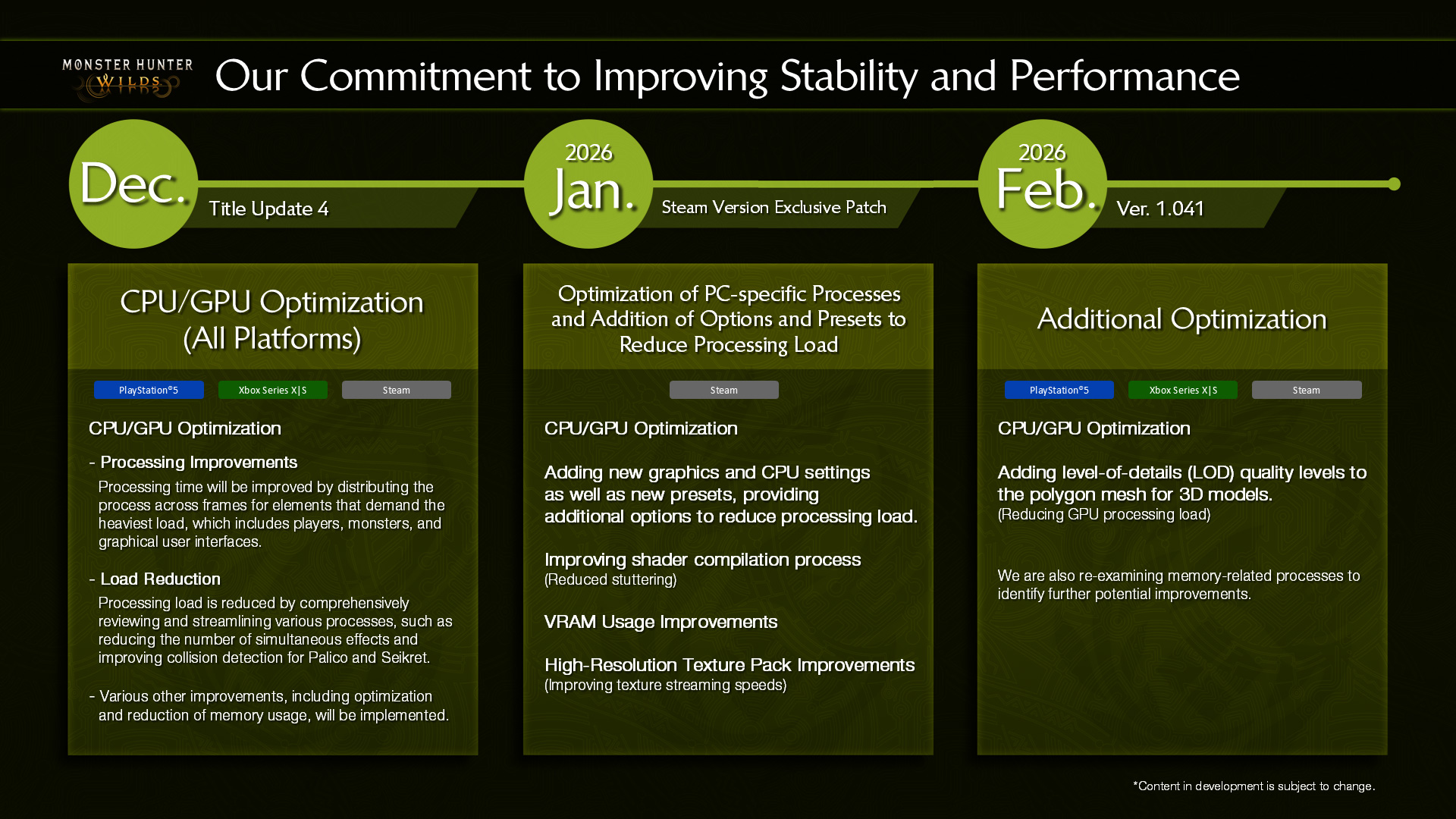
Monster Hunter Wilds is struggling on PC. Digital Foundry and early players report heavy CPU bottlenecks that choke even high-end rigs. The game performs a staggering number of background checks during basic gameplay, which drags down the framerate regardless of your hardware.
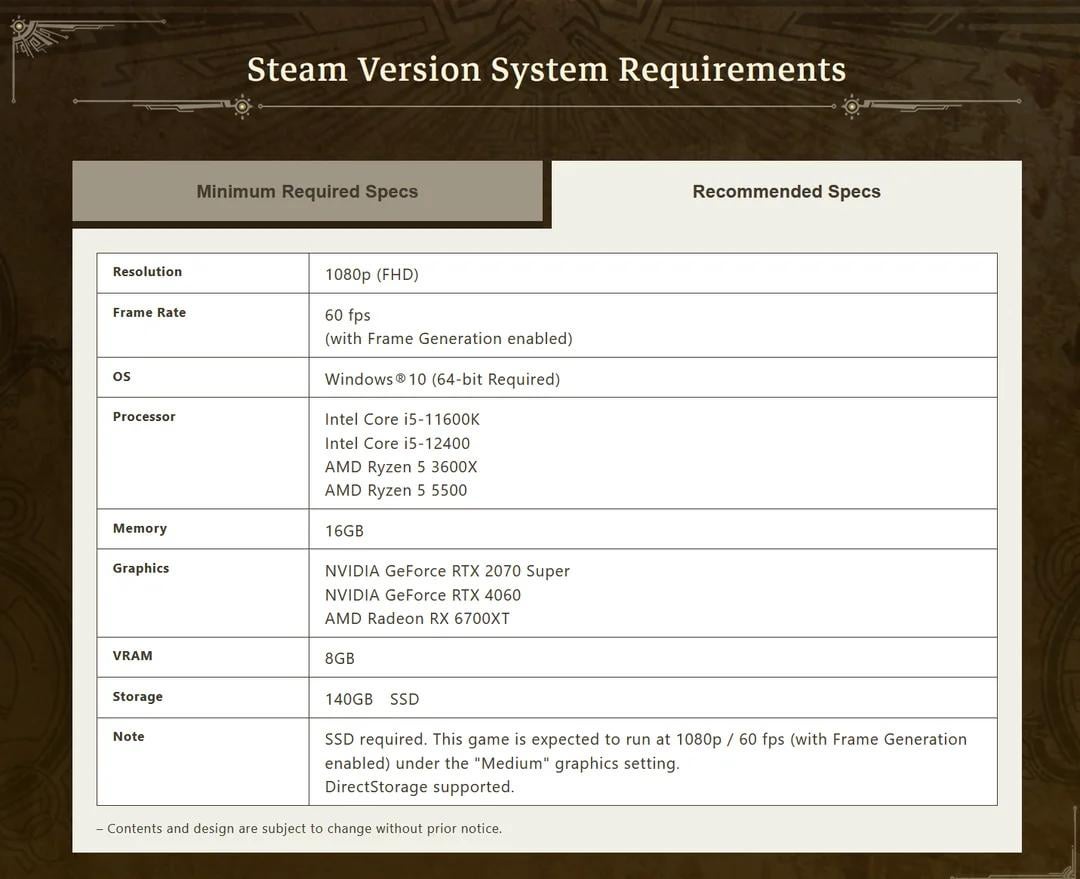
Digital Foundry’s analysis highlights thousands of DLC checks happening constantly, impacting performance across a wide range of systems. These checks aren’t tied to loading new areas or assets; they're happening continuously, creating a persistent drag on the CPU. Capcom’s official system requirements, as outlined in the manual, provide a baseline – but don’t mistake those for a guarantee of a playable, let alone enjoyable, experience. They're likely the minimum to even launch the game.
I want to find the balance between decent visuals and a stable framerate. You'll need to tweak settings to get this running well. I've put together some hardware builds and specific setting adjustments to help bypass the worst of the stuttering.
The situation right now feels a bit precarious. Many players are reporting issues, and there's a general feeling of uncertainty around optimization. However, Capcom has a history of supporting their PC releases, so there is hope for improvement. For now, let’s focus on what we can do to get the best possible performance.
The dlc check bottleneck
The root of the issue with Monster Hunter Wilds seems to lie in those relentless 'DLC checks' Digital Foundry has been reporting. What does that actually mean? Essentially, the game is constantly accessing and verifying data, even when it shouldn’t need to. This constant disk I/O and CPU processing creates a significant bottleneck, preventing even powerful CPUs from reaching their full potential. It’s not about maxing out a single core; it’s the frequency of these checks.
This behavior impacts different CPU architectures in varying degrees. CPUs with fewer cores and threads will naturally struggle more, as they have less processing power to dedicate to these constant checks. However, even high-core-count CPUs, like the Ryzen 9 7950X or Intel Core i9-14900K, are experiencing performance limitations. Early reports suggest that AMD’s Ryzen 7000 series is handling the load slightly better than Intel’s 13th and 14th generation processors, but the differences aren’t massive.
The engine itself seems fine, but the data access is a mess. The game acts like it's terrified of losing track of an asset, constantly re-verifying files already in your RAM. I doubt a single small patch will fix a behavior this baked into the game's logic.
The frustrating thing is that this issue isn’t directly tied to graphical settings. You can lower the resolution and detail, but the DLC checks will continue to hammer the CPU, limiting the performance gains. This makes optimization particularly challenging, as many traditional PC performance tweaks have limited effectiveness.
Hardware builds for every budget
Building a PC specifically for Monster Hunter Wilds requires careful consideration of the CPU bottleneck. We need to prioritize a CPU with strong single-core performance and a decent core count, without sacrificing too much on the GPU side. Here are three builds, ranging from a budget-friendly option to a high-end powerhouse. Prices are approximate as of late 2024 and will vary depending on retailer and component availability.
Budget Hunter (~$1200): This build aims for 1080p gaming at 30-45fps with medium settings. It won't be the smoothest experience, but it’s a viable entry point. Key components include: AMD Ryzen 5 7600X ($230), NVIDIA GeForce RTX 3060 12GB ($300), 16GB DDR5 5200MHz RAM ($80), 1TB NVMe SSD ($70), 650W 80+ Bronze PSU ($70). The Ryzen 5 7600X offers a good balance of price and performance, while the RTX 3060 is capable of running the game at reasonable settings.
Mid-Range Master (~$2000): This build targets 1440p gaming at 60fps with high settings. It’s a significant step up from the Budget Hunter and provides a much smoother experience. Components: AMD Ryzen 7 7700X ($330), NVIDIA GeForce RTX 4070 Super ($600), 32GB DDR5 5600MHz RAM ($120), 1TB NVMe SSD ($80), 750W 80+ Gold PSU ($100). The RTX 4070 Super offers a substantial performance boost over the RTX 3060, and the extra RAM provides more headroom for the game and other applications.
Ultra Beast (~$3500): This is the ultimate Monster Hunter Wilds rig, designed for 4K gaming at 60fps with ultra settings. It’s overkill for many games, but it will provide the best possible experience in Wilds. Components: Intel Core i9-14900K ($550), NVIDIA GeForce RTX 4080 Super ($1000), 32GB DDR5 6000MHz RAM ($150), 2TB NVMe SSD ($150), 1000W 80+ Platinum PSU ($200). The i9-14900K and RTX 4080 Super represent the top-end of consumer hardware, delivering unparalleled performance. However, even this build may not completely eliminate the CPU bottleneck.
It's important to note that these are just suggestions. You can adjust the components based on your budget and preferences. For example, you could swap the Intel CPU for an AMD Ryzen equivalent. The key is to prioritize a strong CPU and a capable GPU.
Monster Hunter Wilds PC Performance Guide 2026: Top Gaming Rigs

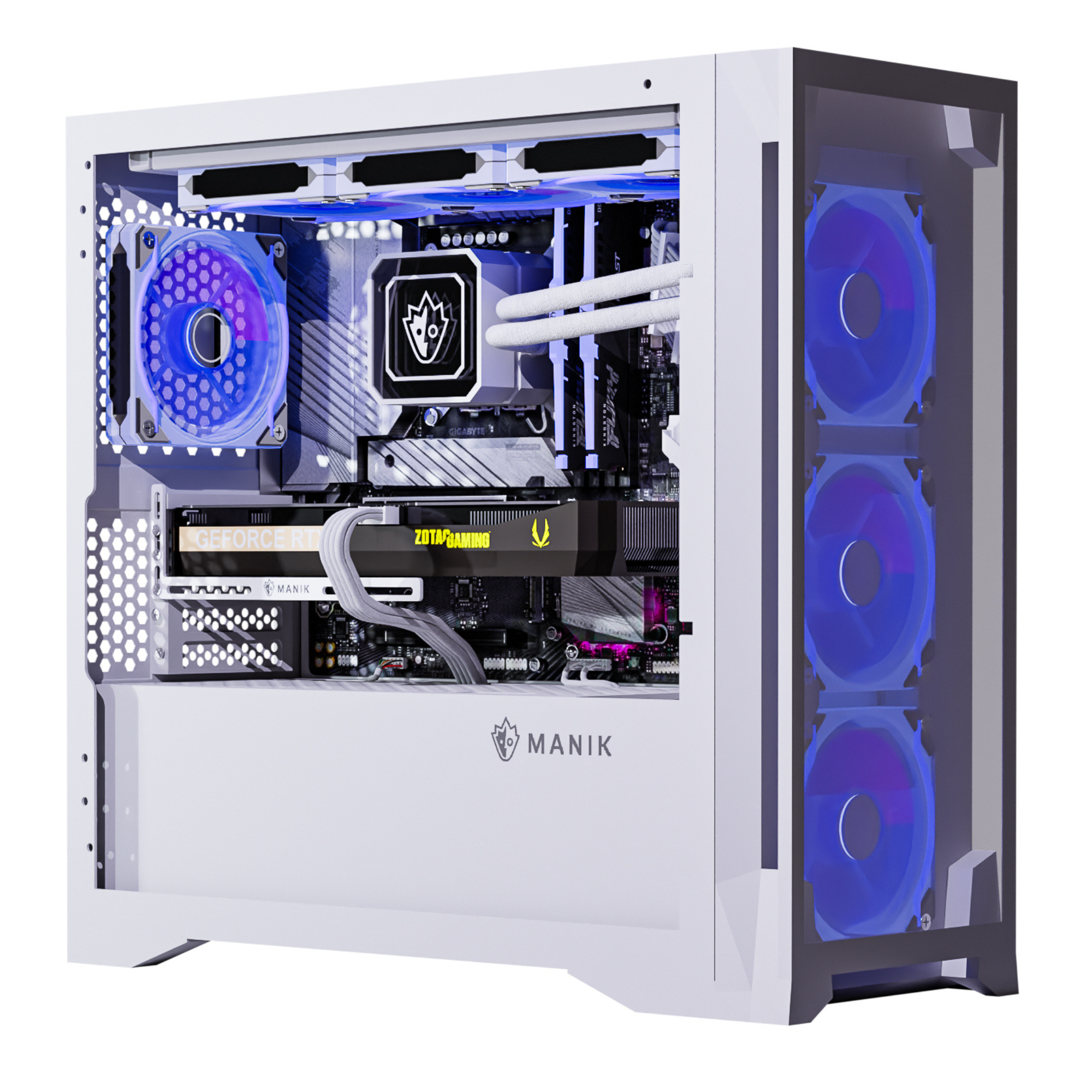
Intel Core Ultra 5 225F Processor · NVIDIA GeForce RTX 5060 8GB Graphics Card · 32GB DDR5 RAM
This PC offers a strong balance of modern components for a smooth Monster Hunter Wilds experience, featuring a capable processor and ample RAM for demanding gameplay.

AMD Ryzen 7 5700 Processor · NVIDIA RTX 5060 Graphics Card · 16GB DDR4 RAM
A solid mid-range option, this system provides a good foundation for Monster Hunter Wilds with its capable CPU and fast storage, suitable for players seeking good performance without breaking the bank.

Intel Core i7 14700F Processor · NVIDIA GeForce RTX 4070 Super 12GB GDDR6X Graphics Card · 32GB DDR5 RAM
This high-end Alienware Aurora R16 is built for enthusiasts, delivering exceptional performance with its powerful CPU and GPU, ensuring you can max out settings in Monster Hunter Wilds.
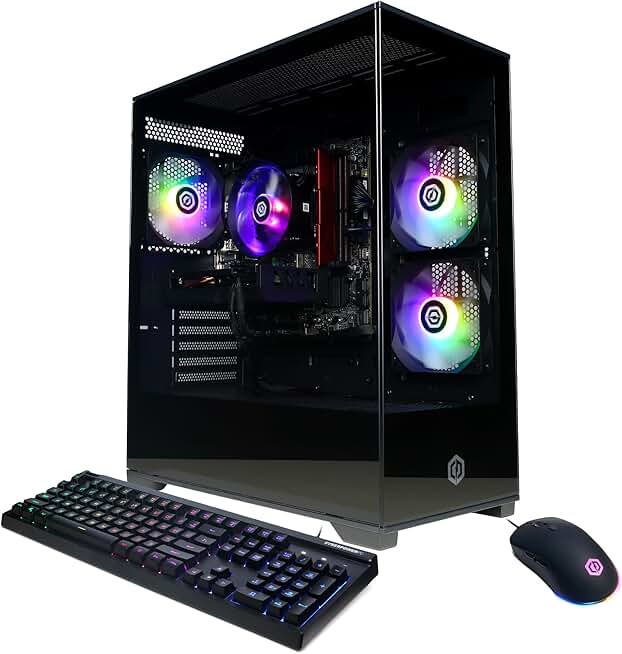
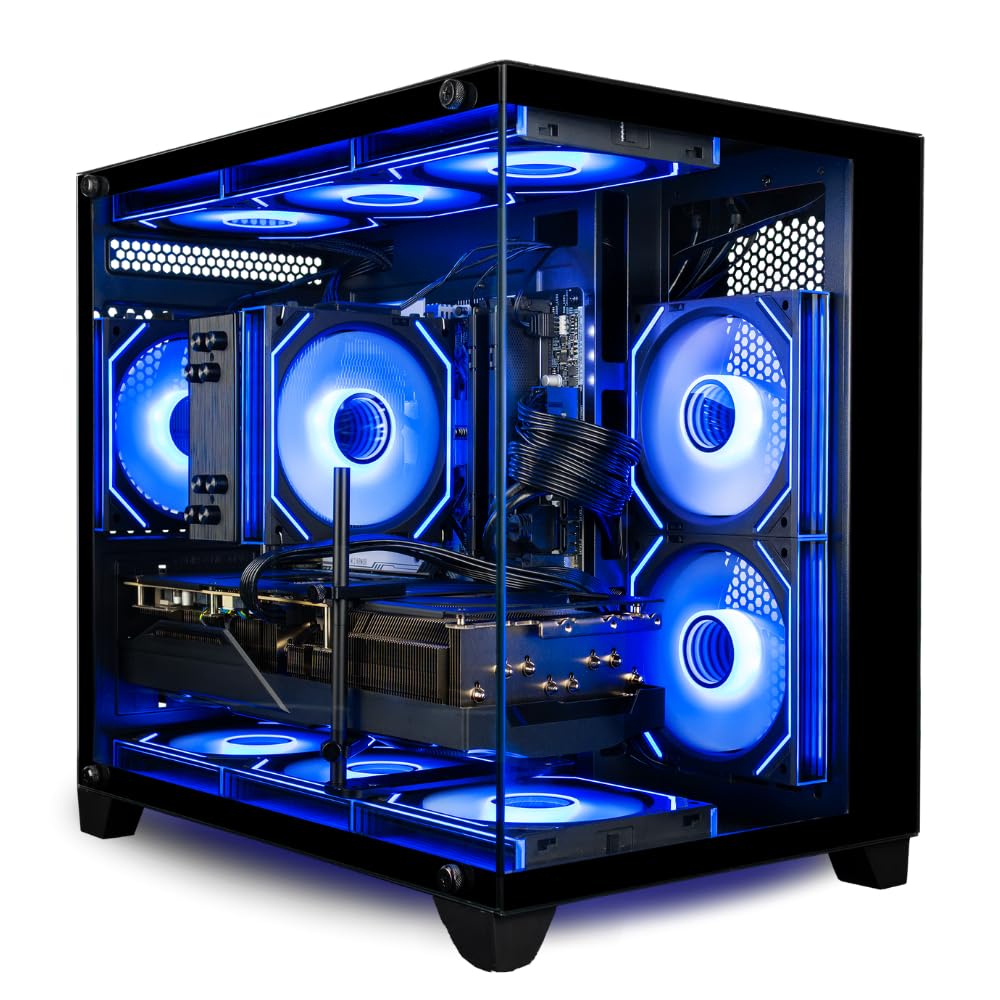
Intel Core i5-13400F Processor · NVIDIA GeForce RTX 5060 8GB Graphics Card · 16GB DDR5 RAM
This CyberPowerPC offers a great entry point for Monster Hunter Wilds, providing a modern CPU and GPU combination with fast DDR5 memory for a fluid gaming experience.
Intel Core i5-13400F Processor · NVIDIA GeForce RTX 5060 8GB Graphics Card · 16GB DDR5 RAM
This CyberPowerPC offers a great entry point for Monster Hunter Wilds, providing a modern CPU and GPU combination with fast DDR5 memory for a fluid gaming experience.
As an Amazon Associate I earn from qualifying purchases. Prices may vary.
GPU Scaling & Resolution Choices
Choosing the right resolution and GPU is crucial for a good Monster Hunter Wilds experience. As we’ve discussed, the CPU bottleneck limits the potential gains from a high-end GPU, but a balanced approach is still important. At 1080p, even a relatively modest GPU like the RTX 3060 can achieve playable framerates with optimized settings. However, expect to make some compromises on visual quality.
At 1440p, an RTX 4070 Super or equivalent is recommended to target 60fps with high settings. This resolution offers a good balance between visual fidelity and performance. The CPU bottleneck will still be present, but the GPU will have more headroom to deliver a smoother experience. 4K gaming is the most demanding, and even with an RTX 4080 Super, you may need to lower some settings to maintain a stable 60fps.
Upscaling technologies like NVIDIA’s DLSS and AMD’s FSR can significantly improve performance, especially at higher resolutions. DLSS generally offers better image quality, but it requires an NVIDIA RTX GPU. FSR is compatible with a wider range of GPUs, but the image quality may not be as good. Whether Wilds will support both remains to be seen, but utilizing either technology is highly recommended if available.
As a rough guide, here's what you can expect based on current data: RTX 3060 – 1080p Medium settings 30-45fps; RTX 4070 Super – 1440p High settings 50-60fps; RTX 4080 Super – 4K Medium/High settings 45-60fps. These are estimates, and actual performance will vary depending on your CPU and other system components.
Monster Hunter Wilds PC Performance Expectations by GPU Tier & Resolution (2026)
| GPU Tier | 1080p Experience | 1440p Experience | 4K Experience |
|---|---|---|---|
| Low-End (e.g., RTX 3050/RX 6600) | Playable with significant settings adjustments. Expect frame drops in demanding areas. | Likely requires substantial compromises. Target for 30-45 FPS with lowered settings. | Not recommended. Performance will likely be very poor even at minimum settings. |
| Mid-Range (e.g., RTX 4060/RX 7700 XT) | Good experience at medium to high settings. Aim for 60+ FPS with some optimization. | Solid performance at medium settings. May require some adjustments to maintain stable frame rates. | Playable with lowered settings and upscaling technologies, but not ideal. |
| High-End (e.g., RTX 4070/RX 7800 XT) | Excellent performance at high to ultra settings. Expect a smooth and responsive experience. | Very good performance at high settings. Potential for 60+ FPS with minor adjustments. | Playable with upscaling and settings optimization. Target for a consistent 30-60 FPS. |
| Enthusiast (e.g., RTX 4080/RX 7900 XTX) | Outstanding performance at maximum settings. Expect high and stable frame rates. | Excellent performance at ultra settings. High refresh rate gaming is achievable. | Good experience with upscaling and optimized settings. Expect a visually impressive and relatively smooth experience. |
| Ultra-Enthusiast (e.g., RTX 4090/RX 7900 XTX) | Exceptional performance, maximizing visual fidelity with consistently high frame rates. | Excellent performance at maximum settings. Potential for very high refresh rate gaming. | Very good experience with upscaling and optimized settings. Target for a consistently smooth experience. |
Qualitative comparison based on the article research brief. Confirm current product details in the official docs before making implementation choices.
Settings to change first
Monster Hunter Wilds offers a wide range of graphics settings, but not all of them have the same impact on performance. Shadows are notoriously demanding, so lowering the shadow quality or disabling them entirely can provide a significant boost to framerates. Draw distance is another performance hog, so reducing the distance at which objects are rendered can also help.
Environmental detail, such as foliage density and texture quality, also has a noticeable impact on performance. Lowering these settings can free up valuable CPU and GPU resources. Anti-aliasing is another setting to consider. While it improves image quality, it can also be quite demanding. Try using a lower level of anti-aliasing or disabling it altogether.
Here’s a quick guide to prioritizing settings: Shadow Quality: Low/Medium; Draw Distance: Medium; Environmental Detail: Medium; Texture Quality: High (if VRAM allows); Anti-Aliasing: Low/Off; Ambient Occlusion: Off; Volumetric Lighting: Low. These are starting points, and you can adjust them based on your preferences and hardware.
Digital Foundry’s analysis has identified the character model detail as a particularly problematic setting. Lowering this setting can provide a substantial performance improvement without significantly impacting visual quality. Experiment with different settings to find the best balance for your system. Remember, the goal is to achieve a smooth and consistent framerate, even if it means sacrificing some visual fidelity.
- Shadow Quality: Low/Medium
- Draw Distance: Medium
- Environmental Detail: Medium
- Texture Quality: High (if VRAM allows)
- Anti-Aliasing: Low/Off
- Ambient Occlusion: Off
- Volumetric Lighting: Low
Beyond Graphics: System Tweaks
Optimizing your system beyond the in-game graphics settings can also improve performance in Monster Hunter Wilds. Make sure you have the latest graphics drivers installed, as these often include performance improvements and bug fixes. Adjust your power settings to "High Performance" to ensure your CPU and GPU are running at their maximum clock speeds.
Disabling background applications can also free up valuable system resources. Close any unnecessary programs before launching the game. Be especially mindful of resource-intensive applications like web browsers and streaming software. A clean boot – starting Windows with only essential drivers and services – can provide a noticeable performance boost.
An NVMe SSD is almost essential for reducing loading times and minimizing stuttering. While the game may technically run on a traditional hard drive, you’ll experience significantly longer loading times and potentially more stuttering. The faster data access speeds of an NVMe SSD can help alleviate the CPU bottleneck by reducing the time it takes to load assets.
There are currently no known conflicts with specific software, but it's always a good idea to keep your operating system and drivers up to date. Monitoring your system temperatures is also important. Overheating can cause performance throttling, so make sure your CPU and GPU are adequately cooled.
Monitoring Performance & Troubleshooting
Keeping an eye on your system's performance is vital for identifying bottlenecks and troubleshooting issues. Tools like MSI Afterburner and the Windows Performance Monitor can provide valuable insights into CPU and GPU usage, frame rates, and temperatures. MSI Afterburner allows you to monitor these metrics in real-time while you're playing the game.
If you’re experiencing low framerates, check your CPU and GPU usage. If your CPU is consistently at 100%, it’s likely the bottleneck. If your GPU is at 100%, you may need to lower the graphics settings. High temperatures can also indicate a problem. If your CPU or GPU is overheating, it may be throttling performance.
Stuttering can be caused by a variety of factors, including insufficient RAM, slow storage, or driver issues. Make sure you have enough RAM and that your game is installed on an SSD. Try updating your graphics drivers or performing a clean install. If the problem persists, consult online forums or communities for assistance.
For more detailed troubleshooting guidance, check the official Monster Hunter Wilds forums and the Digital Foundry website. These resources often contain solutions to common problems and performance issues. Remember to provide detailed information about your system configuration when seeking help.
No comments yet. Be the first to share your thoughts!