
What makes a pc reef build
The term "PC reef" describes a specific aesthetic in the world of custom water-cooled gaming rigs. It refers to builds that use transparent cases and vibrant, colored coolant to mimic the look of an underwater coral reef. Instead of the standard black or silver hardware found in most gaming PCs, these systems feature clear reservoirs, tubing, and radiators that showcase the fluid moving through the loop.
This style appeals to collectors and enthusiasts who want their hardware to serve as a visual centerpiece. The flowing coolant creates a dynamic, living look that changes with the lighting and the system's workload. Brands like EKWB have popularized this approach with products like the Digital Reef series, which combines high-end components with striking visual design elements.
The appeal lies in the contrast between the high-tech internals and the organic, fluid appearance. It transforms a computer from a mere tool into a piece of art. This trend has gained traction among gamers who value both performance and the unique visual identity that only a fully custom loop can provide.
Top digital reef gaming pc picks
Liquid cooling has moved beyond simple thermal management into a visual art form, and the EKWB Digital Reef stands as the current benchmark for this aesthetic. This system takes the concept of submerged electronics and refines it into a high-performance gaming rig that looks like a piece of modern aquarium design. The build quality is immediately apparent; the acrylic tank is thick, clear, and free of the distortions often found in cheaper custom loops.
At the heart of the Digital Reef is the latest Intel Core i9-14900K paired with the NVIDIA GeForce RTX 4090. These components are vertically mounted, allowing you to view the GPU’s backplate and the intricate tubing of the custom loop simultaneously. The cooling performance is exceptional, keeping these hot-running components well within safe temperatures even under heavy gaming loads. The liquid itself is often tinted or contains subtle particulates that catch the light, creating a dynamic visual effect as the pump runs.
Beyond the EKWB flagship, several other manufacturers have entered the space with their own interpretations of the "reef" or submerged PC trend. These builds typically share similar high-end components but differ in their case design, pump aesthetics, and lighting configurations. When choosing a digital reef PC, the primary consideration is often the balance between thermal efficiency and visual impact. The tank must be robust enough to handle the pressure and heat over years of use, while the internal layout must allow for easy maintenance and component upgrades.
The following selection represents the most reliable and visually striking options currently available. These systems are curated for their build integrity and cooling performance, ensuring that the "reef" aesthetic does not come at the expense of gaming stability.




As an Amazon Associate, we may earn from qualifying purchases.
Comparing cooling and performance
The "reef" aesthetic in high-end gaming PCs relies heavily on liquid cooling loops, but the implementation varies significantly between manufacturers. Some systems use custom loops with hand-bent tubing and large radiators, while others rely on pre-assembled, all-in-one (AIO) solutions that prioritize ease of maintenance. Understanding these differences is essential for choosing a build that matches your visual preferences and thermal needs.
EKWB’s Digital Reef, for example, pairs the Intel Core i9-14900K with an NVIDIA RTX 4090 in a vertically oriented chassis. This design uses EK’s proprietary fluid cooling technology to manage the extreme heat output of these components. The result is a system that not only performs at the highest level but also showcases the internal components through transparent panels, mimicking the vibrant, exposed beauty of a coral reef.
When comparing these builds, look beyond just the CPU and GPU models. The cooling solution’s capacity, measured in radiator size and pump speed, directly impacts noise levels and sustained performance under load. A larger radiator can dissipate heat more quietly, which is crucial for a desktop PC that might sit in a living room or dedicated gaming space.
The table below compares the key specifications of the top reef-inspired gaming PCs, focusing on the core components and cooling methods that define their performance and aesthetic appeal.
| Model | CPU | GPU | Cooling Type | Case Style |
|---|---|---|---|---|
| EK Digital Reef | Intel Core i9-14900K | NVIDIA RTX 4090 | Custom Liquid Loop | Vertical Tower |
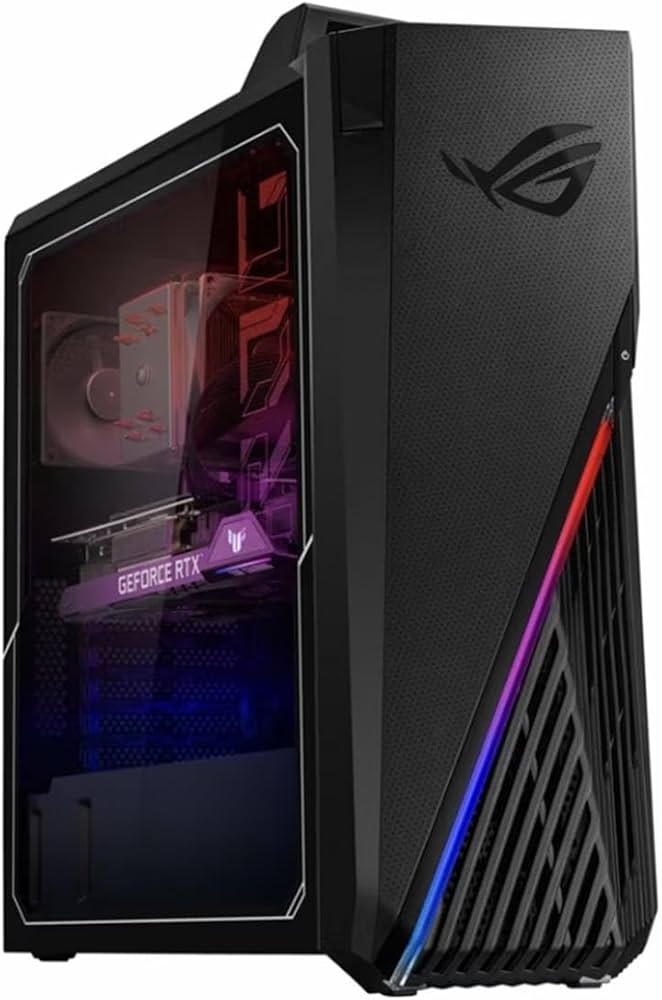
| ASUS ROG Strix GT15 | Intel Core i9-13900K | NVIDIA RTX 4090 | AIO Liquid Cooler | Compact ATX |
| NZXT H7 Flow | AMD Ryzen 9 7950X | NVIDIA RTX 4080 Super | AIO Liquid Cooler | Mid-Tower |
| Corsair One i500 | Intel Core i9-13900K | NVIDIA RTX 4090 | Custom Liquid Loop | Small Form Factor |
Building your own reef style pc
Creating a custom water-cooling loop that mimics the vibrant, chaotic beauty of a coral reef is one of the most visually striking ways to build a high-performance gaming PC. Unlike traditional black-tubed loops, a "reef" build relies on high-visibility components, translucent fluids, and strategic lighting to create an underwater illusion. This approach requires careful planning to ensure both thermal efficiency and aesthetic cohesion.
The process begins with selecting a chassis that supports large radiators and offers ample glass or acrylic panels. Cases like the Lian Li O11 Dynamic EVO or the NZXT H9 Flow provide the necessary volume for complex loop layouts. Inside, the focus shifts to components that maximize light refraction. EKWB’s "Digital Reef" series, for example, features pre-filled blocks with integrated RGB pumps that glow with vivid colors, serving as the centerpiece of the build.
Safety and maintenance are paramount when dealing with custom liquid cooling. A leak can destroy thousands of dollars in hardware, so pressure testing the loop before installing the motherboard is non-negotiable. Additionally, choosing the right coolant is critical; EKWB’s "Digital Reef" fluid is designed to resist algae growth and maintain clarity, ensuring your build looks fresh for years. Regular maintenance involves checking for leaks and topping off fluid as needed, turning your PC into a living, breathing ecosystem.
Essential steps for a safe reef build

Start with a case that supports large radiators and has full tempered glass or acrylic panels. The Lian Li O11 Dynamic EVO is a popular choice for its modular design, allowing you to hide radiators and tubing for a cleaner look.

Opt for components with clear reservoirs and colored tubing. EKWB’s "Digital Reef" series offers pre-filled blocks with integrated RGB pumps that glow with vivid colors, creating the illusion of bioluminescent marine life.

Map out the path of your tubing before buying parts. Ensure you have enough length for bends and that radiators fit in your chosen case positions. Use soft tubing for smoother curves or hard tubing for a structured, geometric look.

Assemble the loop with all components except the motherboard and GPU. Fill it with water and run the pump to check for leaks under pressure. This step prevents catastrophic damage during the final build.
Once leak-free, install your motherboard and GPU. Fill the loop with a high-quality coolant like EKWB’s "Digital Reef" fluid, which resists algae and maintains clarity. Regularly check for leaks and top off fluid as needed.
![EKWB EK-FG Digital Reef [14900K | RTX 4090] Liquid-Cooled Gaming PC](/cdn/products/012661d0-17e2-4e88-b73b-d34e23f7afa9-56c9daab.jpg)


As an Amazon Associate, we may earn from qualifying purchases.
Frequently asked: what to check next


As an Amazon Associate, we may earn from qualifying purchases.
No comments yet. Be the first to share your thoughts!