

WiFi 7 is Here (But Do You Need It for Gaming)?
WiFi 7 is the newest wireless standard, promising speeds up to 46 Gbps – a significant leap from WiFi 6/6E. It’s generating a lot of excitement, and you’re likely seeing marketing around it already. Before buying a card, I recommend looking at the actual throughput rather than the box art. The 46 Gbps marketing is a theoretical ceiling that doesn't reflect what happens in a standard home office.
The biggest benefits of WiFi 7 are increased speed, lower latency, and improved reliability. These improvements come from technologies like 320MHz channel width and 4K QAM, which allow for denser data transmission. However, these benefits only materialize when both your WiFi card and your router support WiFi 7. And even then, your internet service provider (ISP) needs to deliver speeds that can take advantage of the increased bandwidth. Right now, very few gamers will see the full potential of WiFi 7.
For competitive gamers, latency – or ping – is often more important than raw speed. Wifi 7 uses Multi-Link Operation (MLO) to reduce latency by aggregating multiple bands. Packet loss is another critical factor. While WiFi 7 aims to improve reliability, a stable connection still starts with a solid router and minimal interference. Don’t expect a WiFi 7 card to magically fix a poor connection; it’s one piece of a larger puzzle.
Understanding WiFi 7’s Tech: Beyond the Buzzwords
At the heart of WiFi 7’s improvements is Multi-Link Operation (MLO). Instead of relying on a single frequency band (2.4GHz, 5GHz, or 6GHz), MLO allows your device to connect simultaneously across multiple bands. This isn’t just about faster speeds; it’s about creating a more stable and resilient connection. If one band hits interference, the others pick up the slack. This prevents the momentary freezes that kill a killstreak. Think of it like having multiple lanes on a highway – more capacity and less congestion.
Another key technology is 4096-QAM (Quadrature Amplitude Modulation). This essentially means WiFi 7 can pack more data into each radio signal. WiFi 6/6E used 1024-QAM, so WiFi 7 doubles the data density. This directly translates to higher speeds, but it requires a clean signal and strong hardware to function optimally. The wider 320MHz channels also contribute to increased throughput, but they’re more susceptible to interference.
These technologies work together to create a more efficient and reliable wireless experience. It’s not just about sending more data; it’s about sending it more reliably and with lower latency. While the technical details can get complex, the core idea is simple: WiFi 7 is designed to deliver a faster, more stable, and more responsive connection.
WiFi 7 Card Compatibility: AMD vs. Intel and Motherboard Considerations
Compatibility is a major concern with WiFi 7 cards, particularly for gamers using AMD systems. Several listings, like on Amazon, explicitly state that certain cards are not compatible with AMD motherboards. This stems from limitations with how some WiFi 7 cards handle PCIe lane allocation. Many require a direct connection to the CPU, which is more easily achieved with Intel chipsets.
The issue revolves around PCIe lane availability and driver support. Some WiFi 7 cards need a full x4 PCIe connection to operate at their maximum potential. AMD motherboards, particularly older models, might not always provide this, or might share lanes with other devices. This can lead to reduced performance or outright incompatibility. It's not a universal problem, but it's a significant one to be aware of.
Before buying a WiFi 7 card, always check your motherboard’s documentation for M.2 key compatibility. Most WiFi cards use a Key E slot, but some might require Key M. Using the wrong key type will prevent the card from working. Also, ensure your BIOS is up to date, as manufacturers often release updates to improve compatibility. If you have an AMD system, carefully research the card's compatibility before purchasing, and be prepared for potential driver issues.
- Check your motherboard documentation for M.2 key type (Key E or Key M).
- Verify PCIe lane availability – does your motherboard offer a dedicated x4 slot?
- Confirm driver support for your operating system and chipset.
- Update your BIOS to the latest version.
Top WiFi 7 Cards for Gaming in 2026: A Performance Overview
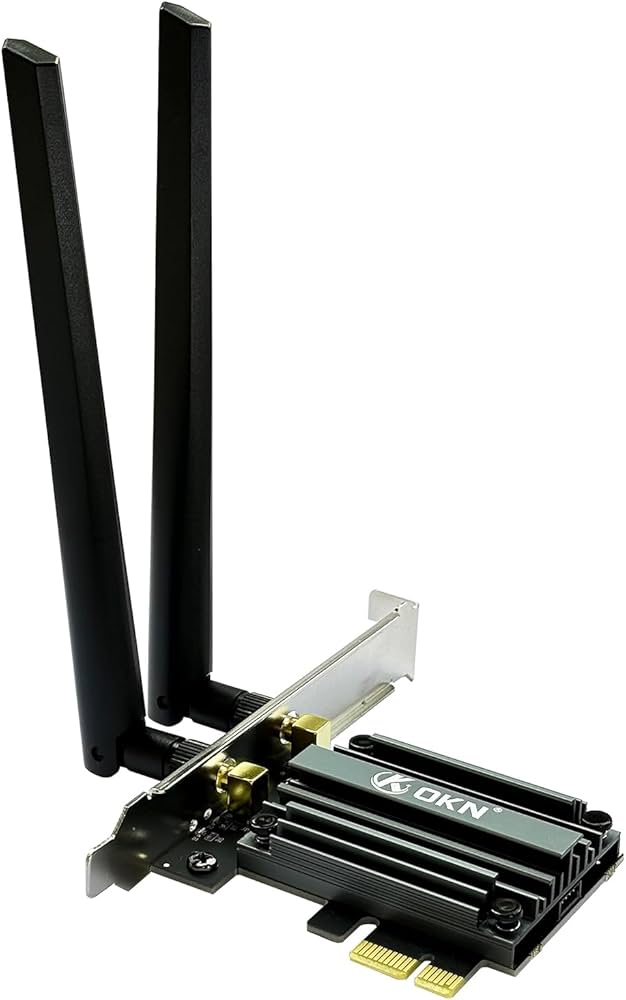
The WiFi 7 card market is still developing, but several options are emerging. As of late 2024, the WAVLINK WiFi 7 BE8800 PCIe Network Card is a popular choice, advertising speeds up to 8774Mbps. Newegg.com is a good place to start looking at available options and filtering by compatibility. Intel’s BE200 chipset is also appearing in various cards, offering solid performance and compatibility with Intel systems.
ASUS and TP-Link are expected to release more WiFi 7 cards in 2026, potentially offering a wider range of features and price points. Keep an eye out for cards with Bluetooth 5.4, which offers improvements in speed and range over previous Bluetooth versions. The form factor is another consideration: M.2 2230 cards are smaller and ideal for laptops, while PCIe cards offer better performance for desktops.
Currently, detailed independent benchmark data for WiFi 7 cards is limited. Advertised speeds are often theoretical maximums and won't be achievable in real-world conditions. Early reviews suggest that WiFi 7 cards offer a noticeable improvement over WiFi 6/6E in ideal conditions, but the gains can vary depending on your router, environment, and ISP. Expect to see more comprehensive testing data emerge as the technology matures.
- WAVLINK WiFi 7 BE8800: Up to 8774Mbps, PCIe format.
- Intel BE200-based cards: Good compatibility, reliable performance.
- Future ASUS/TP-Link options: Expect a wider range of features and price points.
Top WiFi 7 Cards for Your Gaming PC in 2026
Wi-Fi 7 (802.11be) support · Bluetooth 5.4 connectivity · M.2 2230 form factor with included PCIe adapter
The Intel BE200 offers a strong foundation for Wi-Fi 7 performance, making it an excellent choice for gamers seeking the latest wireless standard.
Wi-Fi 7 (802.11be) with up to 5.77 Gbps speeds · Bluetooth 5.4 · Includes PCIe bracket and external antennas
This ASUS card leverages the BE200 chipset with added ROG branding and robust antenna design for potentially superior signal reception in gaming environments.
Wi-Fi 7 (802.11be) standard · Bluetooth 5.4 · M.2 2230 form factor with PCIe adapter
TP-Link is a reputable networking brand, and this card provides a reliable entry point into Wi-Fi 7 for gamers looking for speed and stability.
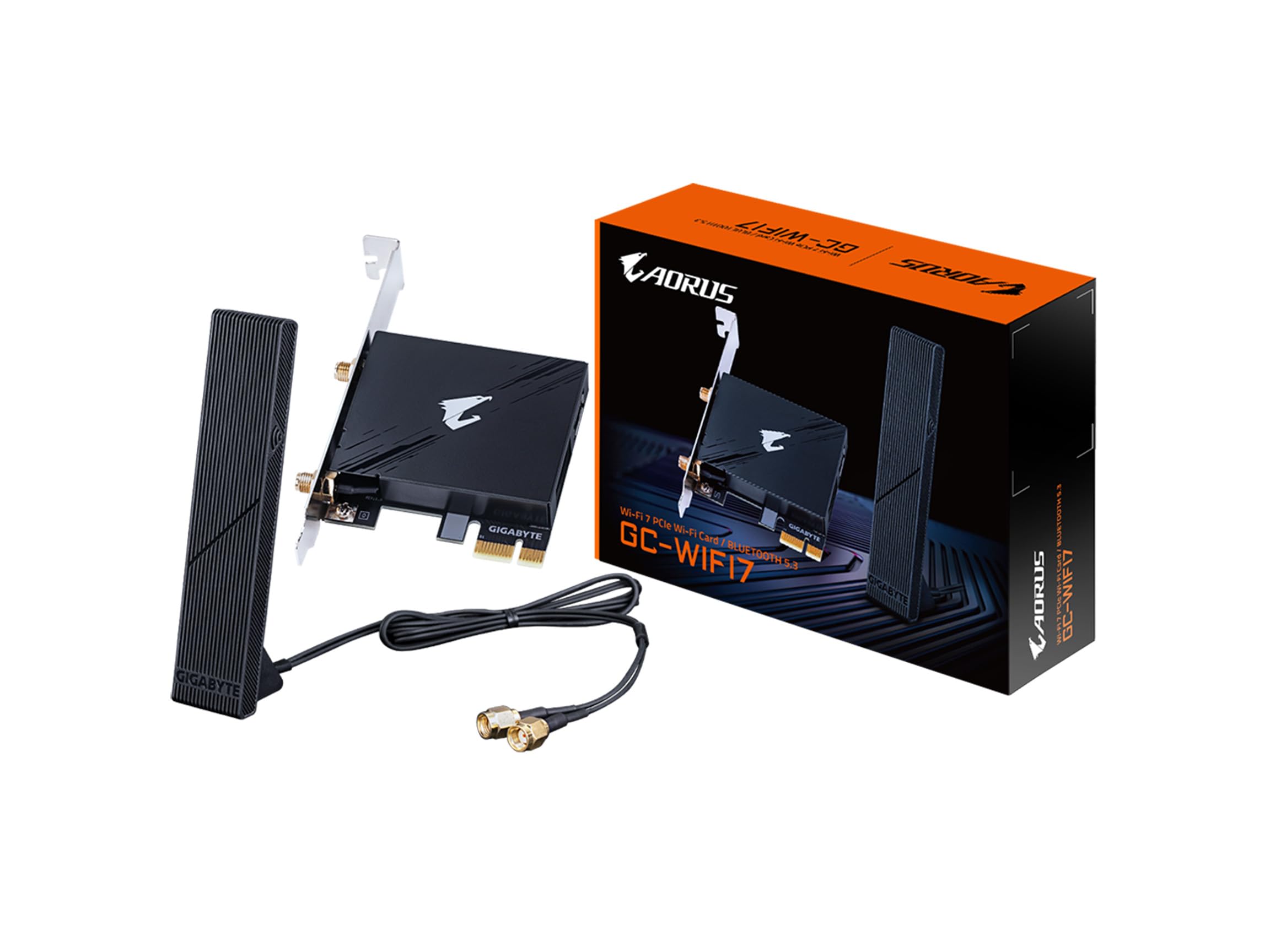
Wi-Fi 7 (802.11be) support · Bluetooth 5.3 · PCIe x1 interface with external antennas
The Gigabyte GC-WIFI7 offers a more budget-friendly option to upgrade to Wi-Fi 7, still providing the core benefits for a smoother gaming experience.
As an Amazon Associate I earn from qualifying purchases. Prices may vary.
Real-World Gaming Performance: What to Expect (and How to Test)
Don't expect a WiFi 7 card to magically transform your gaming experience. The impact will depend on your existing internet connection, router quality, and the specific games you play. WiFi 7 is most likely to make a difference in crowded WiFi environments, where interference is a major issue. It can also improve performance in games that are particularly sensitive to latency, such as fast-paced shooters.
To assess your WiFi performance, use tools like PingPlotter to measure latency and packet loss. PingPlotter visualizes your connection path and identifies potential bottlenecks. A stable ping and minimal packet loss are crucial for a smooth gaming experience. You can also use speed test websites to measure your download and upload speeds, but these numbers aren’t as important as latency for gaming.
Proper router placement is essential. Avoid obstructions like walls and metal objects. Experiment with different locations to find the optimal signal strength. Also, be aware of interference from other devices, such as microwaves and Bluetooth devices. WiFi 7 won’t overcome a fundamentally bad internet connection, but it can help you squeeze the most performance out of what you have.
Troubleshooting Common WiFi 7 Issues
Driver conflicts are a common problem with new hardware. Ensure you have the latest drivers for your WiFi 7 card and your motherboard. Check the manufacturer’s website for updates. Interference from other devices can also cause issues. Try moving your router away from potential sources of interference, such as microwaves and Bluetooth devices.
Router compatibility is another key area. Make sure your router supports WiFi 7 and is configured correctly. Some routers might require a firmware update to fully support WiFi 7 cards. If you’re experiencing intermittent disconnects, try changing the WiFi channel on your router.
If you're still having trouble, consult the manufacturer’s documentation or search online forums for solutions. Many users on forums like Reddit report that disabling power-saving mode in Windows Device Manager often fixes these drops.ues and shared their experiences. Keeping your drivers and firmware up to date is the best preventative measure. Regularly check for updates and install them promptly.
Future-Proofing Your Gaming PC: Is WiFi 7 Worth the Investment Now?
The decision of whether to upgrade to WiFi 7 now is a tough one. The technology is still relatively new and expensive. For many gamers, it might be prudent to wait until WiFi 7 becomes more widespread and affordable. The benefits are currently most noticeable in specific scenarios, such as crowded WiFi environments or for users with very high-speed internet connections.
However, if you demand the lowest possible latency and have a compatible setup, a WiFi 7 card could be a worthwhile investment. It’s a step towards future-proofing your PC and ensuring you’re prepared for the next generation of wireless technology. Consider your budget, your current needs, and your long-term goals when making your decision.
Ultimately, WiFi 7 holds a lot of promise for gaming. As the technology matures and becomes more affordable, it’s likely to become the standard for wireless gaming. But for now, it’s a premium option that’s best suited for enthusiasts and early adopters.
No comments yet. Be the first to share your thoughts!