

What to expect from 2026 hardware
By 2026, DLSS 4 and FSR 4 have moved from niche features to standard requirements for mid-range builds. Ray tracing no longer tanks frame rates like it used to, meaning a $1500 budget actually buys a machine that can handle path tracing in most titles without stuttering.
Component pricing remains somewhat volatile, but the global chip shortage appears to be easing, leading to more stable availability and, in some cases, even slight price drops. However, demand remains strong, particularly for high-end components. The $1500 price point represents a sweet spot for many gamers, offering a balance between performance and affordability. It’s a budget that can deliver a very capable gaming experience, though it’s important to manage expectations.
At $1500, you shouldn’t expect to max out every setting at 4K resolution in the latest AAA titles. Realistically, you’re looking at a solid 1440p gaming experience with high to ultra settings, or 1080p gaming with very high frame rates. Some titles will be playable at 4K with compromises, and technologies like DLSS and FSR will be essential for achieving smooth frame rates at higher resolutions. It's about finding the right balance for your preferred games and settings.
The prebuilt market is booming, with many consumers opting for the convenience and warranty offered by system integrators like CyberpowerPC, Skytech Gaming, and ASUS ROG. This guide will break down the strengths and weaknesses of each brand, helping you make an informed decision about which prebuilt gaming PC is right for you.
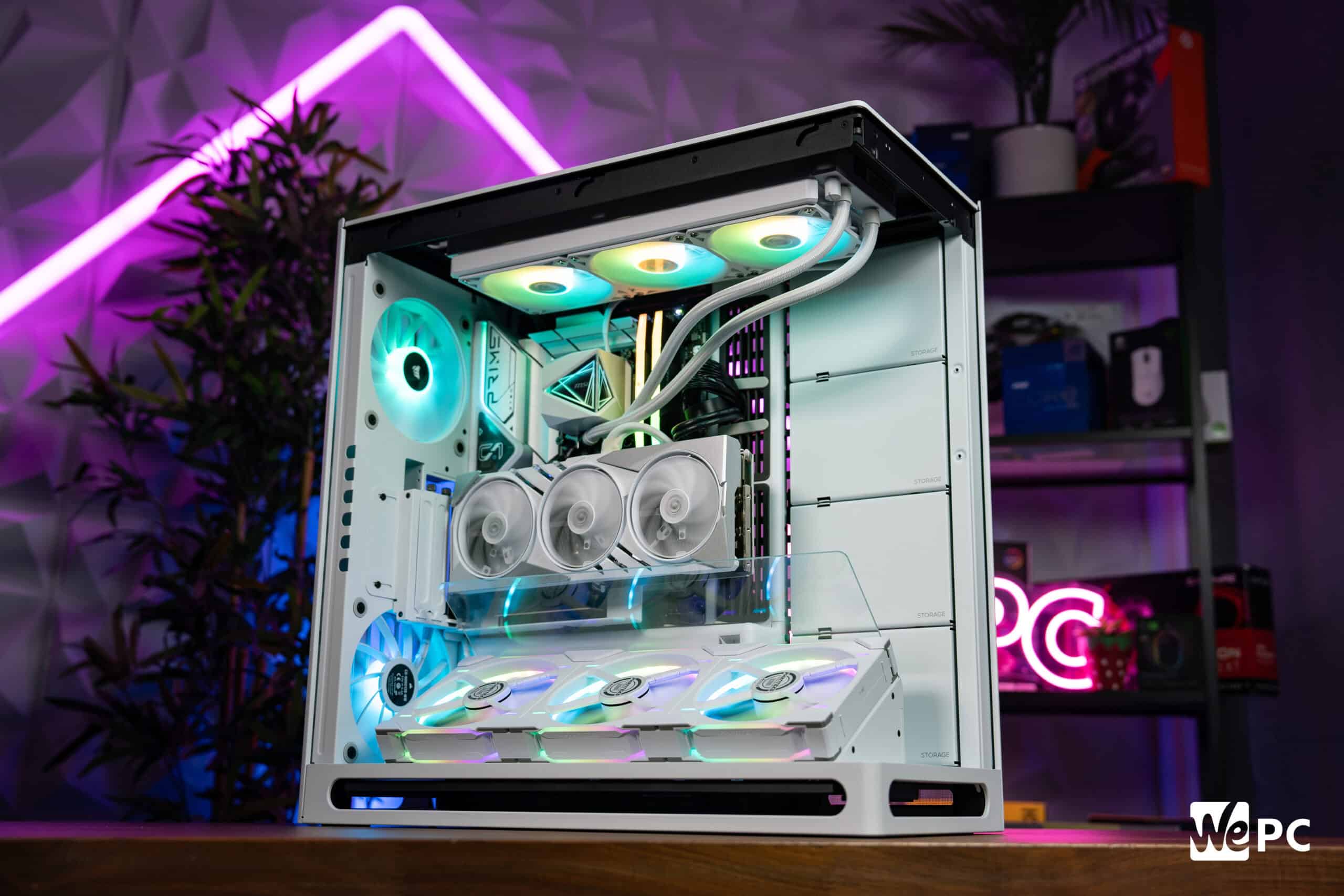
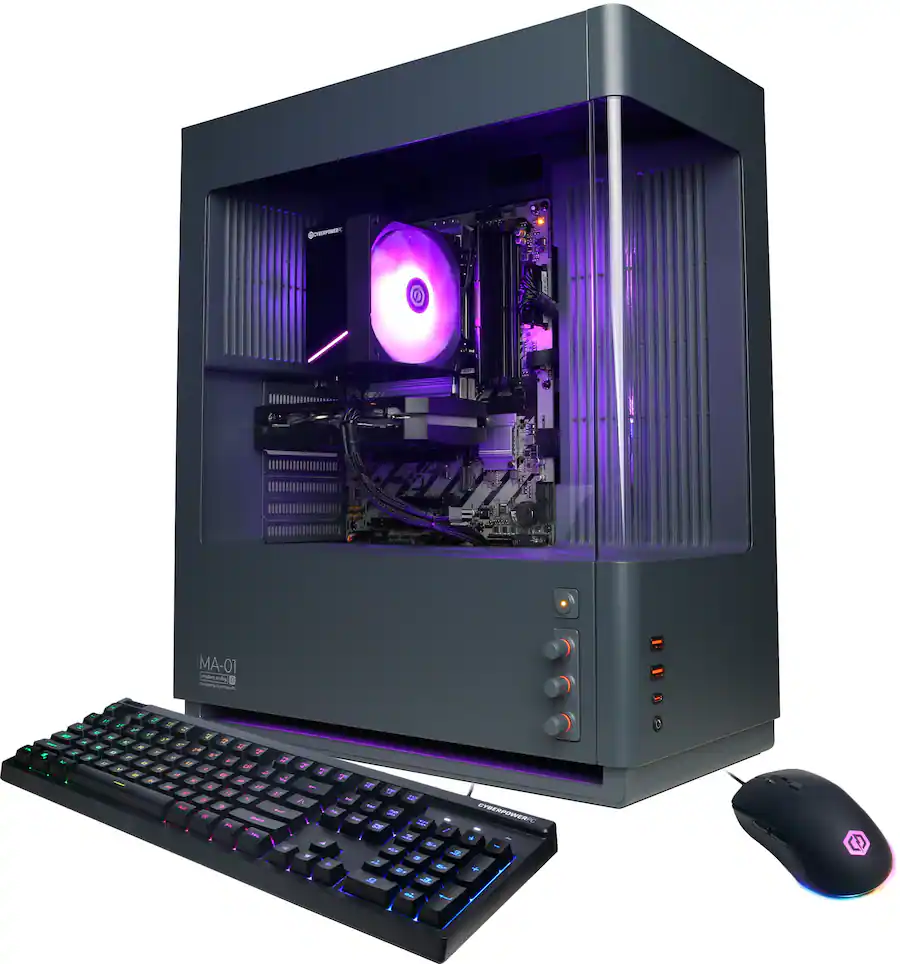
CyberpowerPC: The budget king
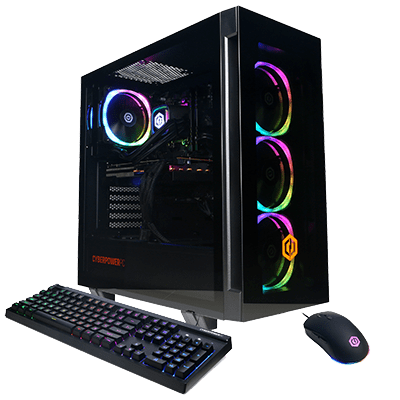
CyberpowerPC has established itself as a go-to brand for gamers looking for aggressive pricing and a wide range of customization options. They consistently offer some of the most affordable prebuilt gaming PCs on the market, making them a popular choice for budget-conscious gamers. Their website allows for extensive component selection, letting you tailor a system to your specific needs and preferences. Popular series within the $1500 range often include the Gamer Xtreme VR and Gamer Master series.
CyberpowerPC is cheap because they buy in bulk, but you pay for it in labor. I've opened several of these units to find cables blocking intake fans or loose zip ties. If you buy one, plan on spending twenty minutes rerouting wires yourself to keep the GPU from choking.
At the $1500 price point, a typical CyberpowerPC configuration might include an Intel Core i5-14600K or AMD Ryzen 7 7700X processor, an NVIDIA GeForce RTX 4060 Ti or AMD Radeon RX 7700 XT graphics card, 16GB of DDR5 RAM running at 5200MHz, and a 1TB NVMe SSD for storage. Some builds may include a smaller secondary hard drive for additional storage capacity. It’s important to carefully review the specifications of each configuration to ensure it meets your needs.
CyberpowerPC’s customization options are extensive. You can often upgrade the CPU, GPU, RAM, storage, and even the case to suit your preferences. They also offer a variety of add-ons, such as extra cooling fans, RGB lighting, and wireless adapters. While the base builds offer good value, the ability to customize allows you to fine-tune the system to achieve the optimal balance of performance and price. I've found their component selection to be generally solid, though occasionally they'll opt for more obscure brands to save costs.
Skytech Gaming: Prebuilt Performance
Skytech Gaming differentiates itself by focusing on more curated builds with a slight emphasis on aesthetics and component selection. They tend to target gamers who want a high-performing system without the hassle of building it themselves, and who appreciate a cleaner, more polished look. Skytech often emphasizes the quality of components used in their builds, aiming for a balance between price and performance. They seem to be aiming for a gamer who wants a premium experience without necessarily paying top dollar.
Compared to CyberpowerPC, Skytech’s builds often feature more thoughtful cable management and potentially better cooling solutions. They may also include higher-quality power supplies and more efficient case fans. This attention to detail can result in a quieter and cooler-running system, which is especially important for long gaming sessions. It's something I've noticed consistently in reviews of their systems.
Around the $1500 mark, a Skytech Gaming PC might include an Intel Core i5-14600K or AMD Ryzen 7 7700X processor, an NVIDIA GeForce RTX 4060 Ti or AMD Radeon RX 7800 XT graphics card, 16GB or 32GB of DDR5 RAM, and a 1TB or 2TB NVMe SSD. They often include a more visually appealing case with pre-installed RGB lighting. A potential drawback is that the customization options aren’t as extensive as those offered by CyberpowerPC.
Skytech Gaming also provides a few unique services, such as professional cable management and stress testing, to ensure the system is stable and reliable. They offer a standard one-year warranty on all their systems, with options for extended warranties. Their customer support is generally well-regarded, with quick response times and helpful assistance. They position themselves as offering a more 'premium' prebuilt experience, and I think they largely deliver on that promise.
ASUS ROG: Premium Experience
ASUS ROG (Republic of Gamers) prebuilts generally command a higher price than those from CyberpowerPC and Skytech Gaming. This is due to their reputation for quality components, robust build quality, and strong software support through Armoury Crate. ASUS ROG systems are designed for gamers who demand the best possible performance and are willing to pay a premium for it. They target enthusiasts and those who appreciate the ROG aesthetic and ecosystem.
The extra cost of an ASUS ROG prebuilt can be justified for some, but it’s important to assess whether the benefits outweigh the price difference. You're paying for the ROG brand, which carries a certain prestige, but also for potentially better component selection, more refined cooling solutions, and a more polished overall experience. The build quality is generally excellent, with meticulous attention to detail and clean cable management.
Near the $1500 price point, an ASUS ROG Strix or TUF Gaming PC might include an Intel Core i5-14600K or AMD Ryzen 7 7700X processor, an NVIDIA GeForce RTX 4060 Ti or AMD Radeon RX 7700 XT graphics card, 16GB or 32GB of DDR5 RAM, and a 1TB or 2TB NVMe SSD. They often feature a distinctive ROG-branded case with advanced cooling solutions and customizable RGB lighting. They also come with ASUS Armoury Crate software for system monitoring and control.
The ROG branding adds value beyond just aesthetics. ASUS Armoury Crate provides a centralized hub for managing system settings, monitoring performance, and customizing RGB lighting. The software also offers features like AI noise cancellation and system optimization. However, some users find Armoury Crate to be bloated or resource-intensive. It's a trade-off – you get a lot of features, but it comes at the cost of some system resources. The question is: is the ROG experience worth the extra money?
The $1500 parts list
Understanding the components you can expect in a $1500 gaming PC in 2026 is crucial for making an informed decision. You're likely looking at a mid-to-high-end CPU, a capable graphics card, a sufficient amount of RAM, and a fast NVMe SSD. The specific components will vary depending on the brand and configuration, but this provides a general overview.
For the CPU, expect something in the realm of an Intel Core i5 or i7 from the 14th or 15th generation, or an AMD Ryzen 7 or Ryzen 9 from the 8000 or 9000 series. These processors offer excellent multi-core performance and are well-suited for gaming and other demanding tasks. The choice between Intel and AMD often comes down to personal preference and specific game optimizations.
The GPU is arguably the most important component for gaming performance. At this price point, you can realistically expect an NVIDIA GeForce RTX 4070 or RTX 4070 Ti, or an AMD Radeon RX 7800 XT or RX 7900 GRE. These cards are capable of delivering excellent performance at 1440p resolution and can even handle some 4K gaming with compromises. The RTX cards offer ray tracing and DLSS support, while the Radeon cards offer competitive performance and FidelityFX Super Resolution.
You’ll likely find 16GB or 32GB of DDR5 RAM running at speeds of 5200MHz or higher. 16GB is generally sufficient for most games, but 32GB provides more headroom for multitasking and future-proofing. Storage will almost certainly be a 1TB or 2TB NVMe SSD, offering incredibly fast load times and responsiveness. Some systems may also include a secondary hard drive for additional storage, but the SSD is where you’ll want to install your operating system and frequently played games.
- CPU: Intel Core i5-14600K or AMD Ryzen 7 7700X
- GPU: NVIDIA GeForce RTX 4070/4070 Ti or AMD Radeon RX 7800 XT/7900 GRE
- RAM: 16GB/32GB DDR5 (5200MHz+)
- Storage: 1TB/2TB NVMe SSD
Component Comparison: Gaming PCs Under $1500 (Expected - 2026)
| Component | CyberpowerPC (Expected Tier) | Skytech (Expected Tier) | ASUS (Expected Tier) |
|---|---|---|---|
| CPU | Mid-Range | Mid-Range | Mid-Range |
| GPU | Mid-Range | Mid-Range | Mid-Range |
| RAM | Mid-Range (16GB DDR5) | Mid-Range (16GB DDR5) | Mid-Range (16GB DDR5) |
| Storage | Mid-Range (1TB NVMe SSD) | Mid-Range (1TB NVMe SSD) | Mid-Range (1TB NVMe SSD) |
| PSU | Mid-Range (650W - 750W 80+ Bronze) | Mid-Range (650W - 750W 80+ Bronze) | Mid-Range (650W - 750W 80+ Bronze) |
| Motherboard | Mid-Range | Mid-Range | Mid-Range |
| Cooling | Air Cooling | Air/Hybrid Cooling | Air Cooling |
Illustrative comparison based on the article research brief. Verify current pricing, limits, and product details in the official docs before relying on it.
Performance Expectations: 1080p, 1440p, and 4K
A $1500 gaming PC in 2026 can deliver a fantastic gaming experience at various resolutions, but it’s important to have realistic expectations. Performance will vary depending on the specific components and the game being played. Let's break down what you can expect at 1080p, 1440p, and 4K.
At 1080p, you should be able to max out most games with very high frame rates, often exceeding 144fps. This is ideal for competitive gaming and high-refresh-rate monitors. Games like Fortnite, Valorant, and League of Legends should easily run at 240fps or higher. Even more demanding titles like Cyberpunk 2077 and Alan Wake 2 should be playable at high settings with frame rates above 60fps.
At 1440p, you can expect to play most games at high to ultra settings with frame rates between 60fps and 120fps. This is a sweet spot for many gamers, offering a great balance between visual fidelity and performance. Games like God of War Ragnarok and Ghost of Tsushima should look stunning at 1440p with high settings. Utilizing DLSS or FSR can push frame rates even higher.
4K gaming is more challenging with a $1500 budget. You’ll likely need to make some compromises in settings to achieve playable frame rates. Older titles or less demanding games may run at 4K with 60fps, but newer AAA titles will likely require DLSS or FSR to achieve similar performance. Even with upscaling, you may need to lower some settings to maintain a smooth gaming experience. According to recent data from Tom's Hardware, a system with an RTX 4070 Ti can achieve 60fps in Cyberpunk 2077 at 4K with DLSS enabled.
- 1080p: Max settings, 144+fps in most games
- 1440p: High-Ultra settings, 60-120fps in most games
- 4K: Medium-High settings, 30-60fps (DLSS/FSR recommended)
Essential Gaming Peripherals to Complete Your Under $1500 Rig

27-inch QHD (2560x1440) IPS display · 180Hz refresh rate (overclockable to 200Hz) · 1ms response time
This monitor offers a sharp, fluid visual experience with fast response times and adaptive sync technology, crucial for competitive gaming.

7.1 virtual surround sound · Memory foam ear pads for comfort · Durable aluminum frame
Immerse yourself in the game with clear audio and comfortable wear, ensuring you don't miss any in-game cues.

Ergonomic racing-style design · Adjustable backrest and seat height · Built-in headrest and lumbar pillow
Maintain comfort and proper posture during long gaming sessions with this adjustable and supportive gaming chair.

2TB storage capacity · PCIe Gen4 NVMe M.2 2280 interface · Sequential read speeds up to 7,100MB/s
Significantly reduce load times and improve overall system responsiveness with this high-speed NVMe SSD.

750W continuous power output · ATX 3.1 and PCIe 5.1 ready · Fully modular design for easier cable management
This reliable and efficient power supply provides ample wattage and modern connectivity for current and future gaming hardware.
As an Amazon Associate I earn from qualifying purchases. Prices may vary.
No comments yet. Be the first to share your thoughts!