
Why PC noise and heat matter for reef tanks
Building a "PC Reef" setup—where a computer sits inches from a marine aquarium—creates a unique engineering constraint. Unlike a standard home office, your workspace is now a shared ecosystem with sensitive biological inhabitants. The choice between brands like Cyberpower, Skytech, Lyte, and Apex isn't just about raw gaming performance; it is about thermal management and acoustic hygiene. A machine that is too loud or too hot can stress or kill the very life you are trying to support.
Corals and fish are poikilothermic, meaning their body temperature matches their environment. Most reef species thrive in a narrow band between 76°F and 82°F. A high-wattage pre-built PC, particularly one with an unoptimized airflow case or inefficient power supply, acts as a space heater. In a small, enclosed space like a desk nook, this excess heat accumulates, forcing your chiller or air conditioner to work harder while potentially pushing tank temperatures into the danger zone. Even a slight, sustained rise in water temperature can lead to coral bleaching or increased metabolic stress in fish.
Acoustic noise is equally critical. Reef keeping often involves quiet observation, and many marine species are sensitive to vibration and sudden loud noises. A PC with aggressive, high-RPM fans or a poorly dampened case creates a constant background hum that can disrupt your relaxation and potentially agitate tank inhabitants. When selecting a pre-built, look for models with large, slow-spinning fans and solid acoustic damping rather than those marketed for maximum RGB visibility and peak clock speeds. The goal is a silent, cool-running machine that supports your hobby, not one that fights against it.
Cyberpower vs Skytech thermal performance
When placing a PC near a reef tank, thermal management is not just about component longevity—it is about biological stability. Excess heat radiating from a computer case can raise ambient temperatures in a localized area, stressing corals and destabilizing water chemistry. Therefore, evaluating Cyberpower and Skytech systems requires looking past raw processing power to examine case airflow and fan noise profiles.
Cyberpower systems typically utilize standard mid-tower cases with basic intake and exhaust configurations. While adequate for general computing, these units often lack the optimized airflow channels found in higher-end custom builds. Under sustained load, such as running complex reef monitoring scripts or rendering data, the internal temperature can rise, causing fans to spin faster and increasing ambient heat output. Skytech, conversely, often markets cases with tempered glass panels and pre-installed RGB fans. While visually appealing, glass panels can sometimes trap heat if the internal fan curve is not manually tuned, potentially leading to higher idle temperatures compared to mesh-fronted designs.
Noise pollution is the second critical factor. Reef tanks often require silent pumps and protein skimmers to avoid stressing sensitive marine life. Both Cyberpower and Skytech budget lines frequently use generic case fans that can produce a noticeable whine or vibration at higher RPMs. A loud, high-pitched fan can be more disruptive than a steady, low-frequency hum. It is essential to verify the decibel (dB) ratings of the pre-installed fans and consider whether aftermarket quiet fans would be necessary for a dedicated reef PC setup.
The following comparison highlights key thermal and acoustic specifications for typical models from both manufacturers. Note that specific models vary, so always check the exact SKU documentation.

| Brand | Case Design | Fan Config | Noise Profile | Heat Dissipation |
|---|---|---|---|---|
| Cyberpower | Standard Mid-Tower | Basic Intake/Exhaust | Moderate (Generic Fans) | Average |
| Skytech | Tempered Glass | RGB Pre-installed | Variable (Fan Curves) | Good (if tuned) |
For a reef PC, prioritize a model with a mesh front panel and the ability to adjust fan curves via software. This ensures that heat is expelled efficiently and noise remains minimal, protecting both your equipment and your marine life.
Lyte and Apex build quality and acoustics
Lyte and Apex position themselves as premium alternatives in the pre-built market, catering to users who prioritize silence and thermal efficiency over raw gaming benchmarks. For a PC Reef setup, where electronic equipment sits in close proximity to saltwater and delicate marine life, these factors are not merely aesthetic preferences; they are operational necessities. The cost premium here buys you superior cable management, quieter fan curves, and more robust heat dissipation systems that protect both the hardware and the biological environment.
The internal architecture of Lyte and Apex cases typically features better airflow design than budget-oriented brands. This is critical because reef tanks often require constant operation of chillers, heaters, and lights, which generate ambient heat. A PC that runs hot will struggle to dissipate its own heat in a warm, humid room, potentially leading to thermal throttling or component failure. By investing in a chassis with optimized airflow, you reduce the strain on your PC's cooling system, keeping noise levels low and temperatures stable.
Acoustics play a significant role in the home aquarium environment. Unlike gaming PCs that may ramp up fans during intense processing, a reef monitoring PC often runs at a steady, low load. Premium brands like Lyte and Apex offer cases with sound-dampening materials and support for quieter, high-static-pressure fans. This results in a near-silent operation that does not disturb the household or the sensitive coral polyps, which can be stressed by excessive vibration or noise.
The following table compares key build and acoustic metrics for typical Lyte and Apex configurations against the broader pre-built market standards.
| Metric | Lyte | Apex | Budget Brand |
|---|---|---|---|
| Cable Management | Premium, fully modular | Premium, semi-modular | Standard, limited |
| Fan Noise (Idle) | < 20 dB | < 25 dB | 30-40 dB |
| Thermal Dissipation | Optimized airflow | High static pressure | Standard airflow |
| Case Material | Tempered glass, steel | Tempered glass, steel | Plastic, thin steel |
While budget brands often cut corners on internal airflow and fan quality, Lyte and Apex invest in components that ensure long-term reliability. This reliability is paramount when your PC is managing critical reef parameters. The quiet operation and efficient heat management of these premium builds make them a worthwhile investment for serious reef keepers who cannot afford downtime or noise pollution.
Matching PC specs to your reef tank size
The relationship between a pre-built PC and a marine aquarium is primarily thermal. High-performance components like the RTX 4090 found in the Apex or Skytech setups generate significant waste heat. In a small nano reef (10–20 gallons), this heat can rapidly raise ambient temperatures, stressing sensitive corals and forcing your chiller to work overtime. Conversely, a large display tank (75+ gallons) has enough thermal mass to absorb this excess heat more easily, though it still requires careful placement.
For nano setups, prioritize efficiency over raw power. A mid-tier build with an RTX 4070 or similar GPU often provides sufficient processing power for lighting controllers and camera feeds without becoming a space heater. The Cyberpower and Lyte builds often offer more customizable configurations, allowing you to select lower-wattage components that run cooler and quieter. Avoid placing a high-TDP GPU directly adjacent to the tank’s glass; the radiant heat can create localized hot spots that damage heat-sensitive organisms like soft corals and anemones.
In larger systems, you have more flexibility to use high-end pre-builts like the Apex. However, air circulation remains critical. Ensure the PC’s exhaust vents are not blowing directly into the tank’s surface. Instead, position the PC so that heat dissipates into the room, where your room’s HVAC or a dedicated exhaust fan can manage it. This separation protects the biological balance of your reef while allowing you to leverage the full power of your pre-built system for other tasks.
Final decision guide for reef keepers
Choosing between Cyberpower, Skytech, Lyte, and Apex requires matching the PC's thermal output to your tank's biology. A reef environment is sensitive to ambient heat and humidity, so the "best" build is the one that stabilizes your room, not just your GPU.
Cyberpower and Skytech dominate the entry-level tier. These builds offer adequate processing power for basic controller software but often run hotter. For small tanks (10-20 gallons) in climate-controlled rooms, these pre-builts are viable. Check their fan noise specs and verify case airflow before placing the unit near live coral.
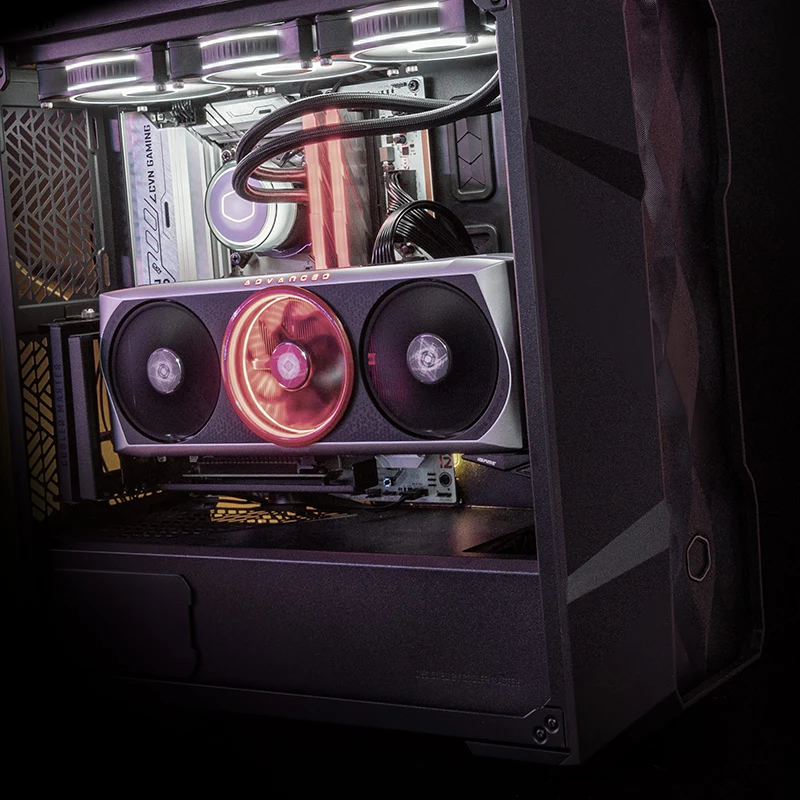
Lyte offers a stronger balance of build quality and thermal management in this bracket. Their modular cable management and better airflow designs reduce the risk of overheating nearby equipment. This tier is ideal for 40-75 gallon reef tanks where stable ambient temperature is critical for coral health.
Apex represents the high-end choice, prioritizing silence and efficiency over raw gaming benchmarks. If you are running a 100+ gallon system with high-output LED lighting and multiple controllers, Apex’s superior thermal dissipation protects both your investment and your livestock. The higher upfront cost pays for long-term reliability.
Common questions about PCs and reef tanks
Placing a high-performance PC next to a saltwater display creates two specific risks: heat stress for the corals and corrosion from salt spray. While pre-built systems like those from Skytech or Cyberpower offer convenience, their internal components require careful placement to maintain a stable marine environment.
No comments yet. Be the first to share your thoughts!