
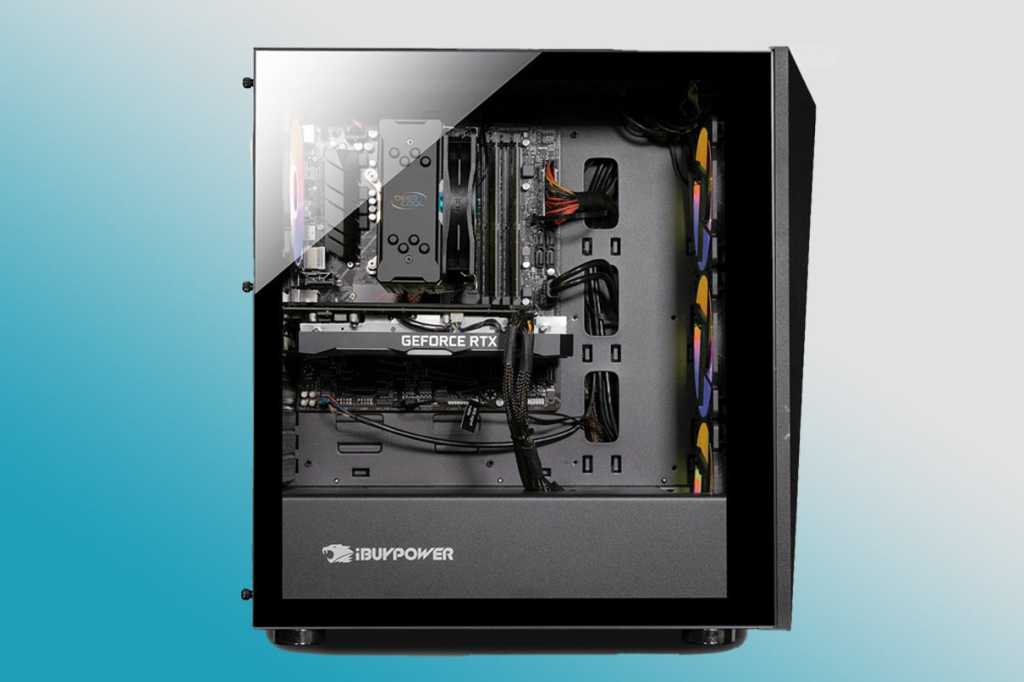

Why an aquarium-style pc fits your reef setup
An aquarium-style gaming PC mirrors the visual language of a reef tank. These cases, often called fish tank builds, use panoramic tempered glass to showcase internal hardware. The transparent panels allow RGB lighting and clean cable management to glow through, creating a centerpiece that complements the vibrant corals and active fish in your aquarium.
This setup offers a cohesive aesthetic for your desk or gaming station. Instead of a black box hiding your technology, the PC becomes part of the marine display. The interplay of light and shadow between the PC's LEDs and the tank's actinic lighting can create a striking, unified look.
While some enthusiasts build custom oil-cooled cases, most reef-friendly setups rely on high-performance pre-built aquarium PCs. These systems provide the necessary cooling for intense gaming while maintaining the sleek, open design that fits seamlessly next to your tank. This approach balances the technical demands of gaming with the delicate environmental needs of a reef.
Top transparent gaming pc models ranked
Selecting a transparent gaming pc that mimics a reef tank requires balancing high-end performance with visual clarity. The best systems feature panoramic tempered glass panels, clean cable management, and cooling solutions that don't obscure the internal hardware. Below, we rank the top pre-built options based on their ability to showcase components while delivering flagship gaming performance.
EKWB Digital Reef
The EKWB Digital Reef is perhaps the most literal interpretation of an aquarium-style build. It features a fully liquid-cooled system with custom loop tubing that resembles coral or seaweed, housed in a case designed to highlight the coolant flow. This model pairs an Intel Core i9-14900K with an NVIDIA RTX 4090, ensuring it can handle any modern game at maximum settings.
The visual appeal lies in the transparency of the cooling blocks and the careful routing of tubes. It is not just a PC with a window; it is a piece of hardware designed to be looked at. The build quality is exceptional, with EKWB’s reputation for precision machining evident in every fitting. For those who want their gaming rig to look like a high-end aquarium, this is the premier choice.
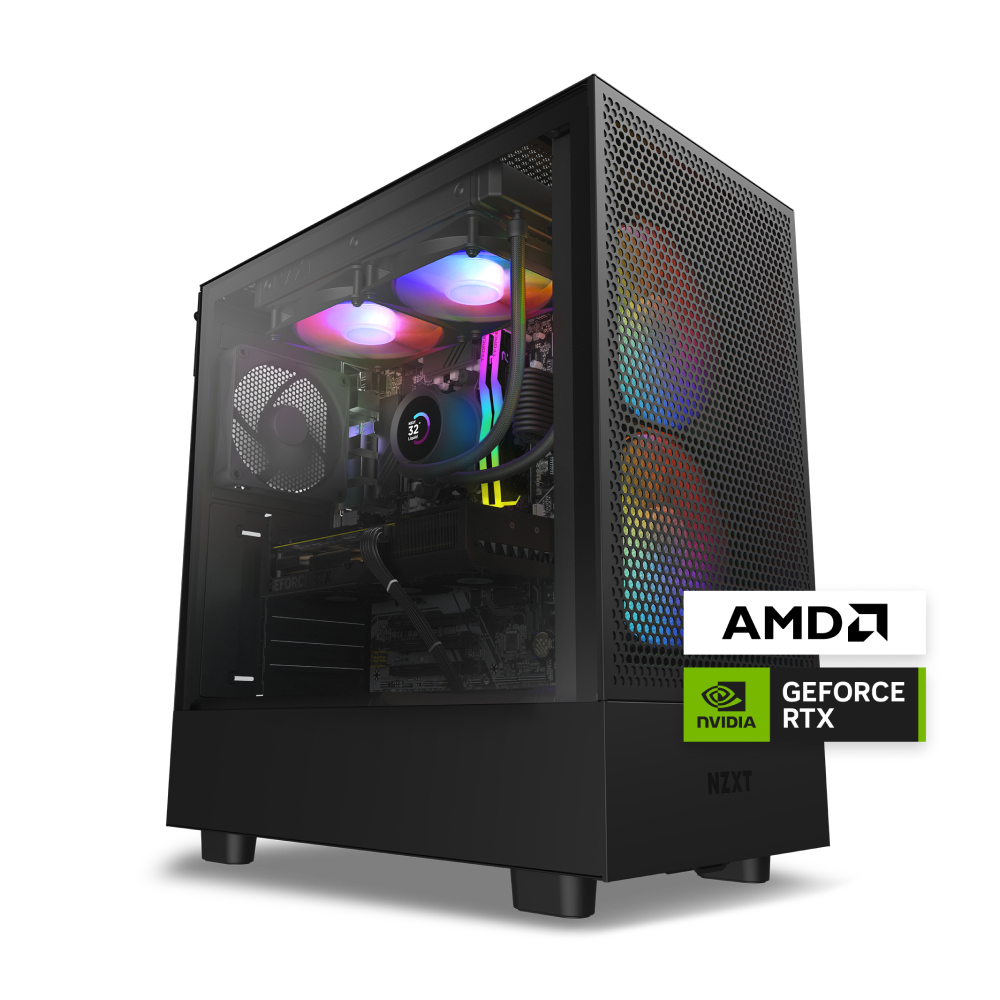
NZXT Player Two
NZXT’s Player Two series offers a more minimalist approach to the aquarium aesthetic. The design focuses on clean lines and a monochromatic look, often in black or white, which contrasts sharply with the vibrant RGB lighting of the components inside. The large tempered glass panel provides an unobstructed view of the motherboard, GPU, and cooling system.
Performance-wise, these systems are versatile, offering configurations with the latest Intel and AMD processors alongside NVIDIA RTX graphics cards. The internal layout is optimized for airflow and visibility, ensuring that the cables remain tucked away and the components are the focal point. It is a polished, retail-ready option for those who prefer a sleek, modern reef tank vibe over a chaotic custom loop.
HYTE Y70 Touch
The HYTE Y70 Touch stands out with its unique dual-chamber design and integrated touchscreen. The front chamber houses the power supply and drive bays, while the rear chamber showcases the motherboard and GPU behind a massive glass panel. This separation keeps heat and noise away from the visual display, enhancing the "aquarium" experience.
The integrated touchscreen allows for real-time monitoring of system temperatures, fan speeds, and RGB lighting effects without needing to open software. This feature adds a layer of interactivity and utility to the visual appeal. With support for high-end components and a distinctive industrial design, the Y70 Touch offers a futuristic take on the transparent gaming pc.
| Model | Cooling Type | Case Material | Visual Focus |
|---|---|---|---|
| EKWB Digital Reef | Custom Liquid Loop | Tempered Glass | Coolant Flow & Tubing |
| NZXT Player Two | Air or AIO | Tempered Glass | Clean Cable Management |
| HYTE Y70 Touch | Air or AIO | Tempered Glass + Metal | Dual Chamber & Screen |


As an Amazon Associate, we may earn from qualifying purchases.
Key features to look for in a reef-friendly pc
Placing a high-performance gaming PC next to a delicate reef tank requires balancing raw power with environmental control. The goal is to create a setup where the computer enhances the room without threatening the stability of the aquarium. You need to evaluate three specific areas: acoustic output, thermal management, and physical integration.
Acoustic output
Reef tanks are often placed in living areas where silence is valued. High-end gaming PCs with large fans can become a source of constant white noise that disrupts the peace. When selecting a prebuilt or custom build, prioritize cases with sound-dampening panels and large, slow-spinning fans. Look for models that maintain low RPMs under load. If the PC sounds like a jet engine, it will clash with the serene atmosphere you are trying to create.
Thermal management
Computers generate significant heat, which can raise the ambient temperature in a small room. Even a few degrees of increase can stress coral polyps and promote algae blooms. Ensure your PC has robust airflow, but avoid placing it directly under or immediately next to the tank’s overflow or skimmer, where heat sensitivity is highest. Open-frame "fish tank" style cases offer better airflow but less insulation; closed cases with good thermal dissipation are often safer for maintaining stable room temperatures.
Cable management and aesthetics
The visual clutter of power cords and data cables can detract from the clean lines of a reef display. A reef-friendly PC should have tidy cable management, either through internal routing channels or external sleeves. This not only looks better but also reduces the risk of accidental spills or water contact with electrical components. A clean setup ensures the focus remains on the marine life, not the hardware powering it.
Checklist for reef-safe integration
Before finalizing your purchase, verify these points to ensure your setup is safe and functional:
-
Noise Level: Check fan curves and dB ratings; aim for sub-30dB under load.
-
Heat Output: Ensure the PC case has adequate intake/exhaust vents away from the tank.
-
Cable Routing: Verify internal cable management channels are accessible and sufficient.
-
Stability: Confirm the PC stand or case legs are level and vibration-dampened.
-
Spill Zone: Position the PC outside the splash zone of any overflow or skimmer.
As an Amazon Associate, we may earn from qualifying purchases.
Frequently asked questions about aquarium-style PCs
Transparent gaming PCs, often called fish tank builds, showcase internal hardware through panoramic glass panels. This design prioritizes aesthetics alongside performance, allowing you to display custom water-cooling loops, RGB lighting, and clean cable management. While standard cases hide components for airflow efficiency, these open-architecture or full-view chassis turn the computer itself into a centerpiece.
Building a true aquarium-style PC involves more than just buying a case with glass sides. You must plan for specific airflow dynamics, as glass traps heat differently than mesh. Most enthusiasts opt for tempered glass cases with excellent ventilation or custom water-cooling solutions to maintain stable temperatures for both the electronics and, in rare experimental builds, the aquatic environment.
No comments yet. Be the first to share your thoughts!