

Why a dedicated PC suits reef monitoring
Running a reef aquarium is a 24/7 operation, and your automation software needs a system that never sleeps. While laptops and mini-PCs might seem like convenient choices for a desk setup, they often struggle with the thermal and power demands of continuous reef automation. A dedicated desktop tower provides the stable power delivery and consistent airflow required to keep reef monitoring software like Corralware, ReefAngel, or custom dashboards running without interruption.
Laptop cooling systems are designed for burst performance, not the constant load of processing sensor data, logging history, and controlling hardware relays around the clock. Over time, this strain can lead to thermal throttling or unexpected shutdowns—scenarios that can be disastrous for sensitive coral colonies if controllers go offline. Desktop cases offer superior ventilation, allowing components to run cooler and quieter, which is essential in a room where your tank already generates significant heat.
Beyond reliability, a full-sized PC offers the expandability needed for a complex reef setup. You can easily add multiple serial-to-USB adapters for legacy controllers, network interface cards for redundant internet connections, or extra storage for long-term data logging. This flexibility ensures your PC Reef solution can grow with your tank, handling increased sensor counts and automation logic without requiring a complete hardware overhaul.
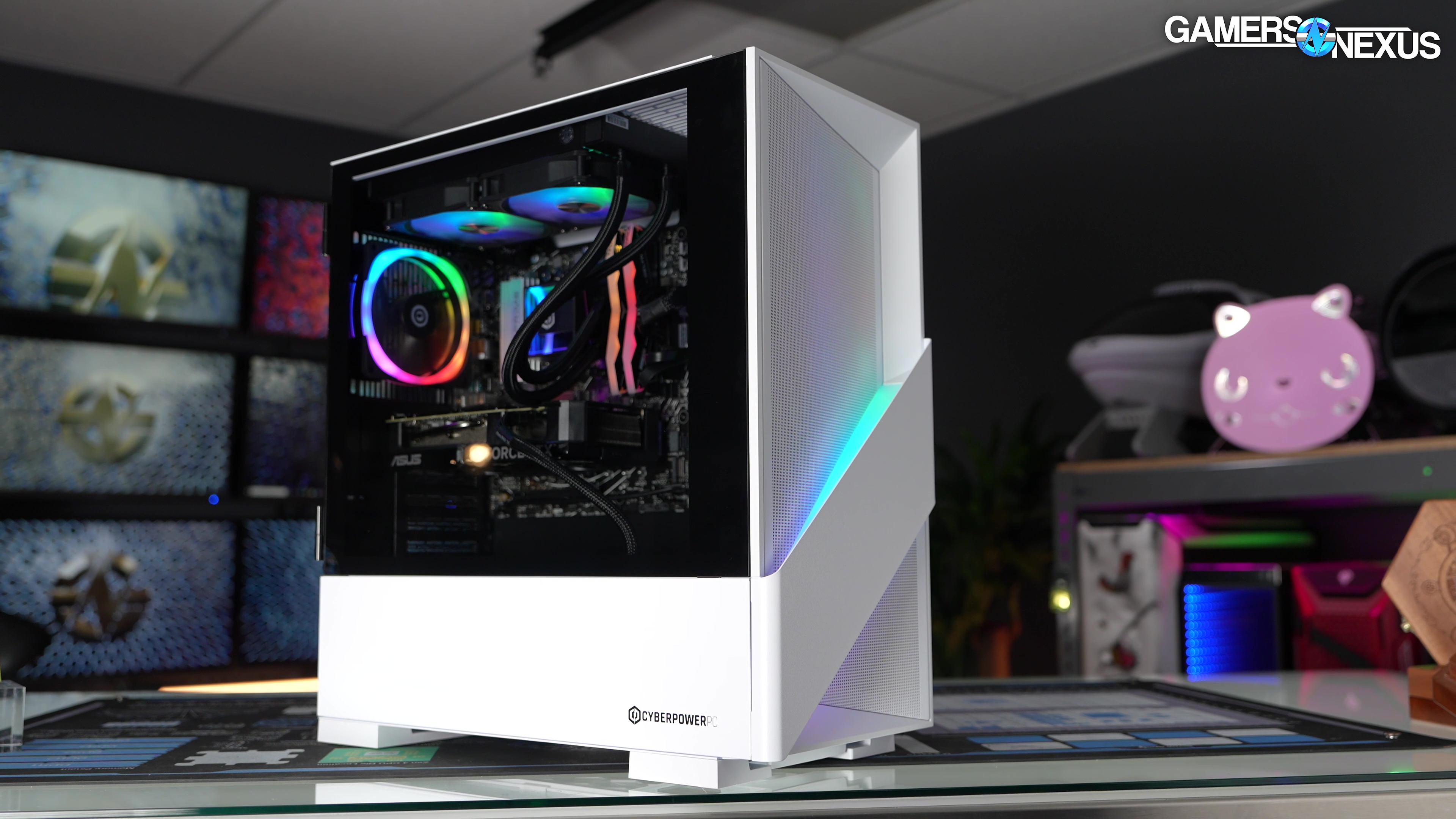
Cyberpower PC: The budget-friendly workhorse
Cyberpower PC targets the entry-level market by offering pre-built rigs that prioritize raw component value over premium chassis aesthetics. For reef enthusiasts, this positioning is significant because it allows hobbyists to allocate more budget toward essential aquarium hardware like controllers, dosing pumps, and high-end lighting. These machines are designed to handle the continuous uptime required for reef monitoring software without the premium markup associated with enthusiast-grade cases.
The builds typically feature mid-range processors and dedicated graphics cards that provide more than enough power for running multiple 4K camera streams and dashboard interfaces simultaneously. While the cooling solutions are functional rather than exceptional, they are sufficient for maintaining stable temperatures during long periods of idle monitoring or moderate rendering tasks. The internal cable management is often basic, but this does not impact performance for a system that will likely sit in a media or equipment rack rather than on a desk.
When selecting a Cyberpower PC for a reef setup, look for models with at least 16GB of RAM to ensure smooth operation of virtualization software if you plan to run separate instances for lighting and water chemistry monitoring. The inclusion of multiple USB ports on the front and rear panels is a practical advantage for connecting controllers and security cameras directly without needing extension cables. Below are specific models currently available on Amazon that fit this value-focused profile.


As an Amazon Associate, we may earn from qualifying purchases.
Skytech Gaming PC: Performance and aesthetics
Skytech builds are often the go-to choice for reef keepers who want their tank setup to look as good as it functions. These PCs are built with a strong focus on visual appeal, featuring tempered glass panels and customizable RGB lighting that can be synced to match the colors of your aquarium. For a home reef tank, this aesthetic cohesion is a significant benefit, turning a piece of industrial hardware into a decorative element that complements the marine environment rather than clashing with it.
Beyond the looks, Skytech provides the computational power needed to run complex reef dashboard software without breaking a sweat. Managing multiple controllers, lighting schedules, and data logging tools requires a reliable machine that can handle background processes quietly. Skytech’s configurations typically include modern processors and efficient cooling solutions, ensuring that the PC remains stable during long monitoring sessions and doesn’t generate excessive heat or noise near your tank.
When selecting a Skytech PC for your reef setup, you are essentially choosing a balance between visual flair and raw performance. The builds are pre-configured to handle the demands of reefing software, allowing you to focus on your livestock rather than troubleshooting system compatibility. Whether you prioritize a specific color scheme or need extra processing power for heavy data analysis, Skytech offers a range of options to fit your specific needs.


As an Amazon Associate, we may earn from qualifying purchases.
Lyte Gaming PC: Compact and efficient designs
Lyte builds focus on small form factors, making them a strong contender for a PC Reef setup where space is at a premium. Their cases, such as the ION or the LUX, are designed to fit into tight corners or under shelves, keeping the computer out of the way while still providing the thermal headroom needed for reef-keeping automation software.
The efficiency of these compact builds is a major advantage. Because the chassis is smaller, there is less internal air volume to heat up, and Lyte’s use of high-static pressure fans ensures that components stay cool without generating excessive noise or airflow turbulence that could disturb a sensitive tank environment. This quiet operation is critical for any reef keeper who values a peaceful home atmosphere.
When selecting a Lyte build for your reef tank, look for models that prioritize airflow efficiency over raw, high-wattage power. A mid-range configuration running a compact GPU is often sufficient to handle multiple aquarium controllers, lighting schedules, and monitoring dashboards without drawing significant power or producing excess heat. This approach keeps your electricity bill lower and your room temperature stable.



As an Amazon Associate, we may earn from qualifying purchases.
Side-by-side comparison of reef-ready rigs
Choosing the right PC for your reef tank isn't just about raw processing power; it's about stability, silence, and how well the hardware integrates with your existing aquarium ecosystem. When evaluating a Cyberpower, Skytech, or Lyte rig for this specific use case, you need to look beyond the specs on a box and consider the practical realities of running it near water and electronics.
The following comparison breaks down the key metrics that matter most to reef keepers: uptime reliability, noise levels, USB connectivity for controllers, and overall price-to-performance ratio. These factors determine whether your PC will serve as a dependable hub for monitoring software like CorAqua or Orphek controllers, or if it will become a source of stress in your tank room.
Cyberpower systems often appeal to hobbyists on a tight budget, offering solid entry-level performance. However, their stock cooling solutions can sometimes run louder, which might be a distraction if your tank room is near a living space. Skytech strikes a balance, providing excellent USB connectivity for multiple aquarium controllers and moderate noise levels thanks to their standard airflow designs. Lyte systems, while more expensive, prioritize silence and higher-end components, making them ideal for serious reef keepers who need zero downtime and a quiet environment for sensitive livestock.
Before making a final decision, ensure your chosen PC has enough free USB ports for your current controllers and consider adding a UPS (Uninterruptible Power Supply) to protect your investment during power fluctuations. A stable PC is just as important as stable water parameters for a thriving reef.
No comments yet. Be the first to share your thoughts!